

Appearance
Sources
Sources are service accounts attached to an AI System that let Modulos retrieve operational signals and compliance-relevant context for that AI System.
Where in Modulos
AI System → Settings → Sources
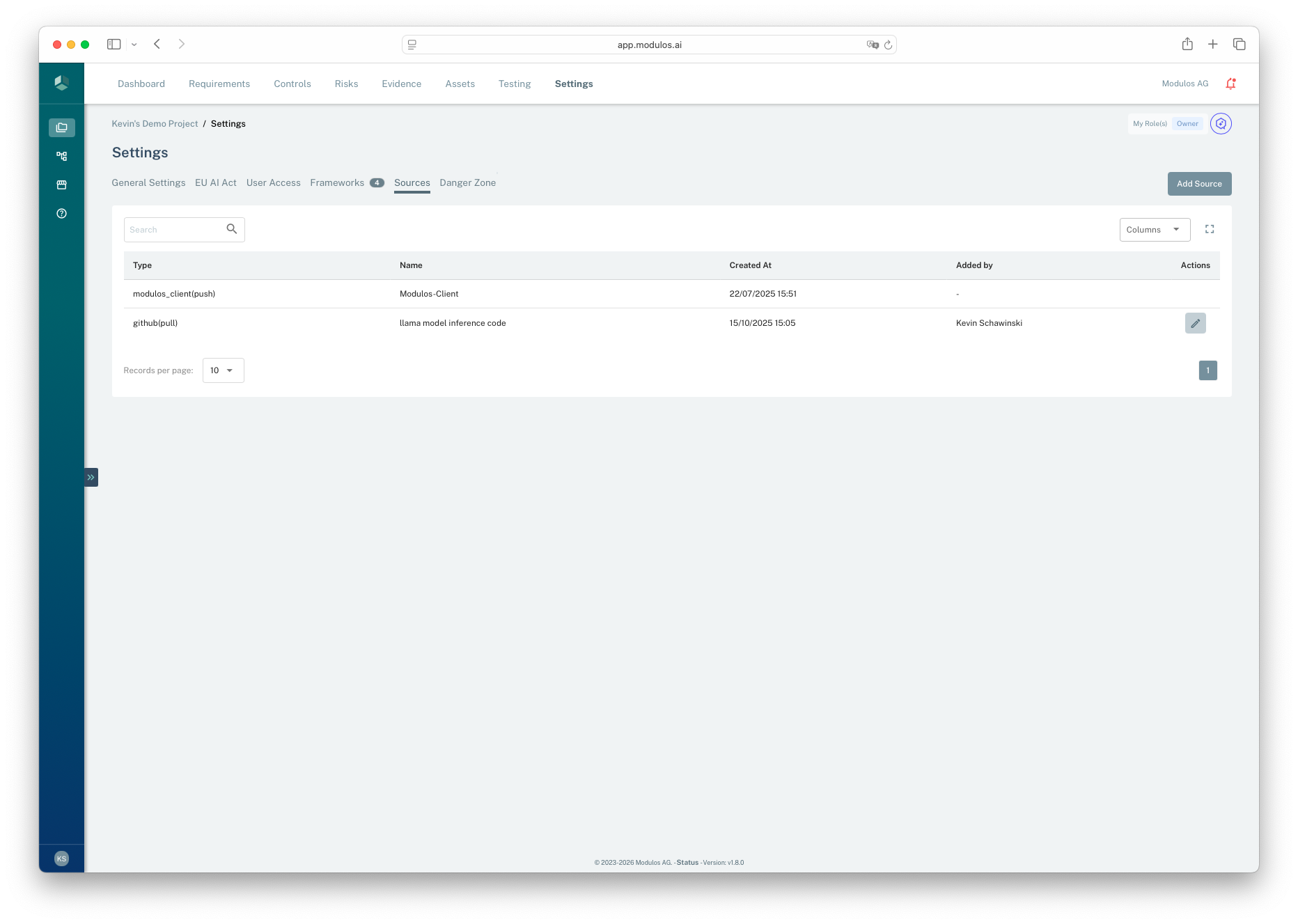
- 1Sources tabSources attached to an AI System live in AI System Settings.
- 2Add SourceAdd a new integration Source to the AI System.
- 3Type and modeEach Source is labeled with its type and whether it is pull or push.
Who can do what
Permissions
- Owners and Editors can create, update, and delete Sources.
- Viewers can view Sources for assurance and audit purposes.
Sources vs Connectors
Sources are not the same as Scout Connectors:
- Sources are attached to an AI System and are intended for service-to-service access.
- Connectors are attached to a user and typically use OAuth for user-scoped access.
Sources vs connectors
Two trust models. Different scope, different lifecycle.
Sources
Sources
Service accounts attached to projects
- Shared across the project
- Used for automation and monitoring
- Designed for least privilege and rotation
Connectors
Connectors
User accounts connected to users
- Bound to a person
- Used for user-scoped access
- Reflects individual permissions and accountability
Why this matters
Different permission model
Different rotation and lifecycle
Different audit story
Supported Source types
Modulos supports multiple Source types, but not every Source type can power automated tests.
Organization controls
Organization admins can enable or disable specific Source types organization-wide on the Organization → Source Connectors page. If you don't see an expected Source type, check with your organization admin.
Sources used for automated tests
These Sources provide metrics that can be evaluated by tests:
- Prometheus
- Datadog
- OpenTelemetry: custom OTel-based metrics
- Langfuse
- Azure
- AWS: for infrastructure monitoring via CloudWatch metrics
- Vijil: for AI security and testing metrics
- Snowflake: for metrics from your Snowflake data warehouse
- Claude Console: for Claude usage, cost, and adoption metrics from the Anthropic Admin API; Scout can also use it to report on usage, spend, and organization posture
- Modulos Client: available by default and used for push-style metrics and artifacts
Sources used for AI System context
These Sources are commonly used to support governance work, but they do not currently provide testing metrics:
- GitHub
- Microsoft Copilot Studio: Scout only. Gives Scout an inventory of the Copilot Studio agents in a Power Platform environment, read from Dataverse. Configure with the Entra Tenant ID, Client ID, and Client Secret of a multi-tenant app registration, then sign in with Microsoft to pick the environment. Not available for Runtime Inspection tests.
Tests require metrics
Automated tests require a metrics-capable Source such as Prometheus, Datadog, OpenTelemetry, Langfuse, Azure, AWS, Vijil, Snowflake, Claude Console, or Modulos Client.
Each Source has a mode:
- Pull: Modulos connects out to retrieve data
- Push: an external agent or client pushes data into Modulos
How it works
When you create a Source, Modulos:
- stores the Source configuration on the AI System
- tests connectivity before saving
- stores secrets securely and does not expose them back to the UI after creation
After creation, the Sources table on AI System → Settings → Sources shows a Connection column with the result of an automatic health check: Healthy, Broken, Unknown, or Not applicable. Checks run when you open the page and after you add, edit, or delete a Source; hover the status for the reason. Modulos Client and OpenTelemetry Sources always show Not applicable because they receive pushed data instead of being polled.
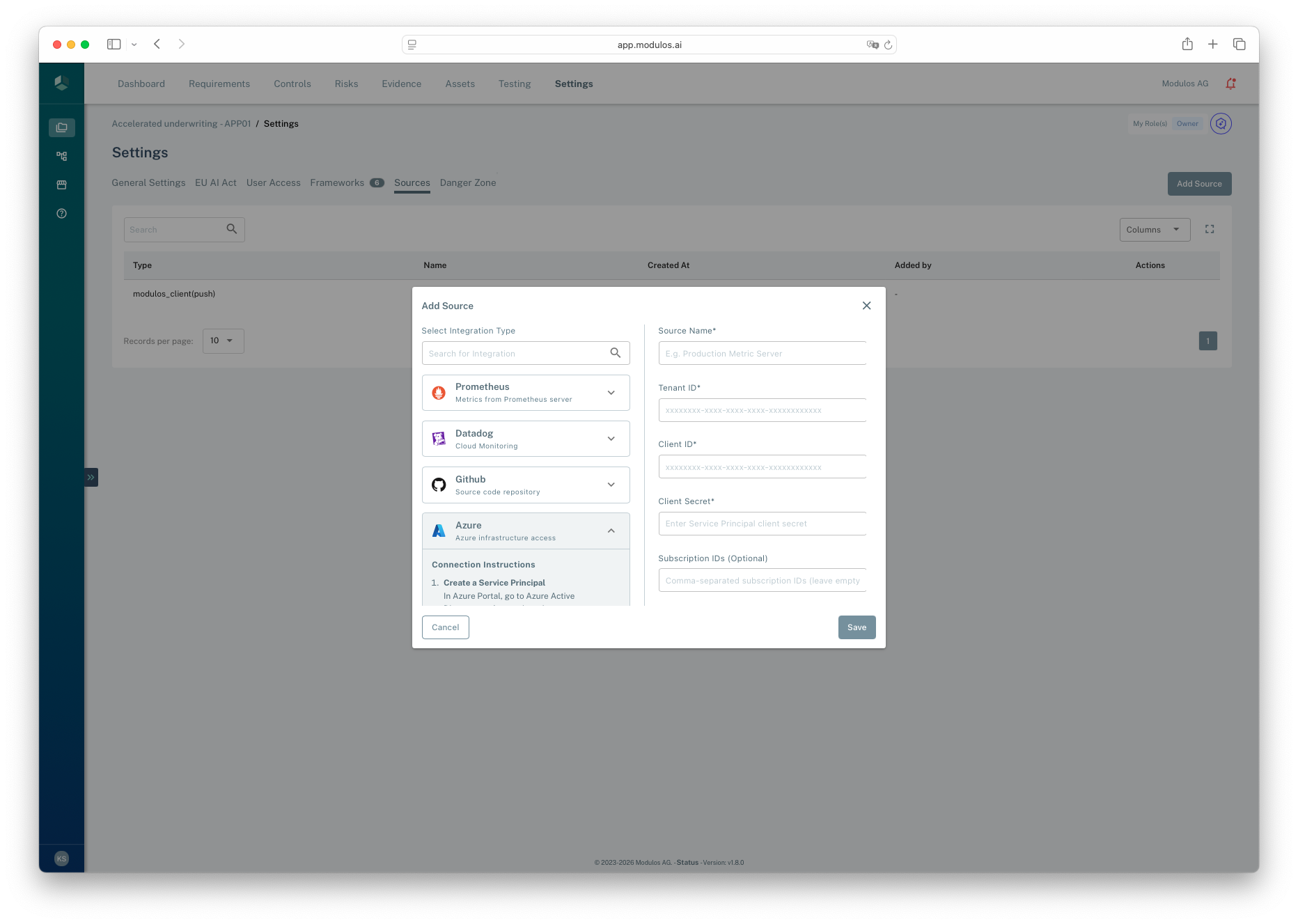
- 1Integration typeSelect the system you want to connect to the AI System.
- 2Configuration fieldsEnter the credentials and settings for the selected integration.
- 3SaveModulos validates the connection before saving the Source.
Metrics and discovery
Tests run on metrics. In practice, there are two ways to provide them:
- Pull metrics from Prometheus or Datadog by selecting an existing metric name from your monitoring system.
- Push metrics using Modulos Client, where your code logs metric values to Modulos.
Security best practices
Treat Sources as production integrations:
- create dedicated service accounts with least privilege
- rotate tokens and secrets regularly
- scope access to only the AI Systems and repositories you need