

Appearance
AWS
The AWS Source connects an AI System to one region of an AWS account through an IAM user. Metric Tests read CloudWatch metrics of one resource. Scout, Agent Tests, and the Risk Agent find resources with AWS Resource Explorer and read the names of their metrics.
| Used by | Metric Tests, Agent Tests, Scout, Risk Agent |
| Mode | Pull |
| Credentials | Region, access key ID, and secret access key of an IAM user |
| Metric selection | Select the resource, then the metric |
Where in Modulos
AI System → Settings → Sources → Add Source → AWSadds the Source.
Before you start
An Organization Admin makes AWS available. See Source & Connectors.
How to prepare the AWS account
Do these steps in the AWS console:
- Open AWS Resource Explorer.
- Select Turn on Resource Explorer.
- Create an aggregator index in your primary region.
- Wait 5–10 minutes for the index to fill.
- In IAM, create a user.
- Attach the AWS managed policy ReadOnlyAccess to the user.
- Make sure that the user has the permission
resource-explorer-2:ListIndexes. - In Security credentials, create an access key for an Application running outside AWS.
- Copy the access key ID and the secret access key.
Without a Resource Explorer index, the Source cannot connect.
How to connect AWS
- Open
AI System → Settings → Sources. - Select Add Source.
- Select AWS.
- Type a Source Name.
- Type the region in Region, for example
us-east-1. - Paste the access key ID into Access Key ID.
- Paste the secret access key into Secret Access Key.
- Select Save.
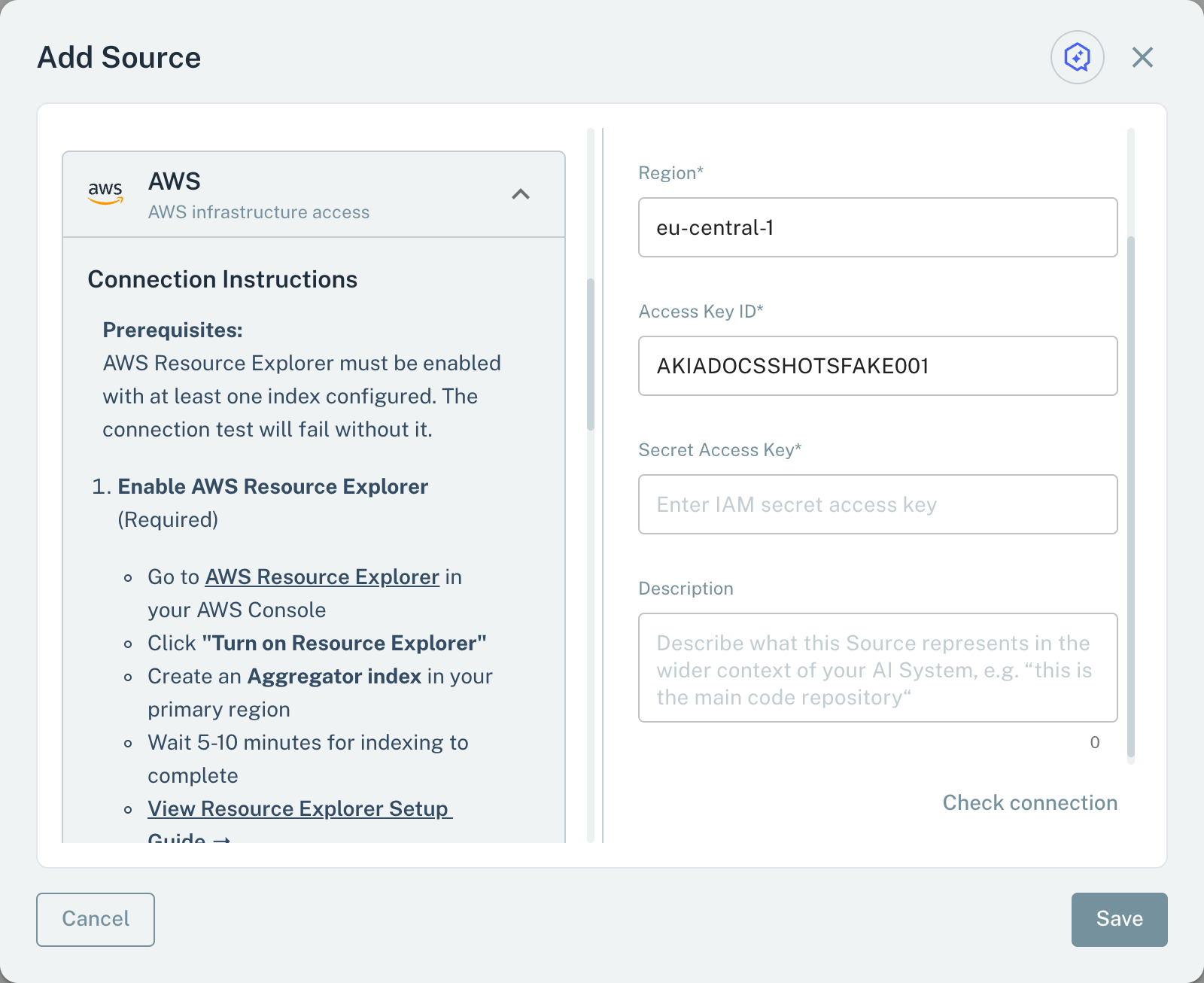
- 1RegionOne region. Add one AWS Source for each region.
- 2Access Key IDThe access key of the IAM user.
- 3Secret Access KeyThe secret of the access key.
When you save, Modulos checks the identity of the IAM user and that Resource Explorer has an index. If one check fails, Modulos shows a general error and does not save the Source. Then make sure that the index exists and that the user has resource-explorer-2:ListIndexes.
For Metric Tests, add one AWS Source for each region. Scout, Agent Tests, and the Risk Agent read only one AWS Source of the AI System.
Metrics for Metric Tests
A Metric Test on an AWS Source reads one CloudWatch metric of one resource:
- In the test dialog, select the AWS Source.
- Select the Resource, for example an EC2 instance, an RDS database, or a Lambda function.
- Select the Metric.
The menu shows the CloudWatch metrics of the resource, from standard and custom namespaces. When the test runs, Modulos reads the most recent CloudWatch value in the schedule period of the test, or in the last hour if the test has no schedule. Modulos uses the Average statistic. If no average is available, it uses Sum, Maximum, or Minimum.
Scout, Agent Tests, and the Risk Agent
Scout, Agent Tests, and the Risk Agent read an AWS Source with read-only queries:
- Account: the account ID, the IAM user, and the region.
- Resources: a Resource Explorer query by type, tag, or name, with a maximum of 20 results, and the details of one resource.
- Metrics: the names of the CloudWatch metrics of one resource, with namespace and dimensions. The agents do not read metric values.
Important considerations
- Give the IAM user read access only.
- Replace the access key on a schedule. The Source uses a static access key.