

Appearance
Langfuse
The Langfuse Source connects an AI System to a Langfuse project, in Langfuse Cloud or on your own server. Metric Tests read aggregated metrics of the LLM calls that Langfuse records. Scout, Agent Tests, and the Risk Agent read the traces and their scores.
| Used by | Metric Tests, Agent Tests, Scout, Risk Agent |
| Mode | Pull |
| Credentials | Langfuse API URL, a public key, and a secret key |
| Metric selection | Type the metric name in the format view:measure:aggregation |
Where in Modulos
AI System → Settings → Sources → Add Source → Langfuseadds the Source.
Before you start
- An Organization Admin makes Langfuse available. See Source & Connectors.
How to prepare Langfuse
- In Langfuse, open
Project → Settings. - Create an API key pair.
- Get the API URL of your Langfuse server from this table:
| Langfuse server | Langfuse API URL |
|---|---|
| Langfuse Cloud EU | https://cloud.langfuse.com |
| Langfuse Cloud US | https://us.cloud.langfuse.com |
| Your own server | The URL of your server |
How to connect Langfuse
- Open
AI System → Settings → Sources. - Select Add Source.
- Select Langfuse.
- Type a Source Name.
- Type the URL in Langfuse API URL.
- Keep Project ID (Optional) empty.
- Paste the public key into Public Key.
- Paste the secret key into Secret Key.
- Select Save.
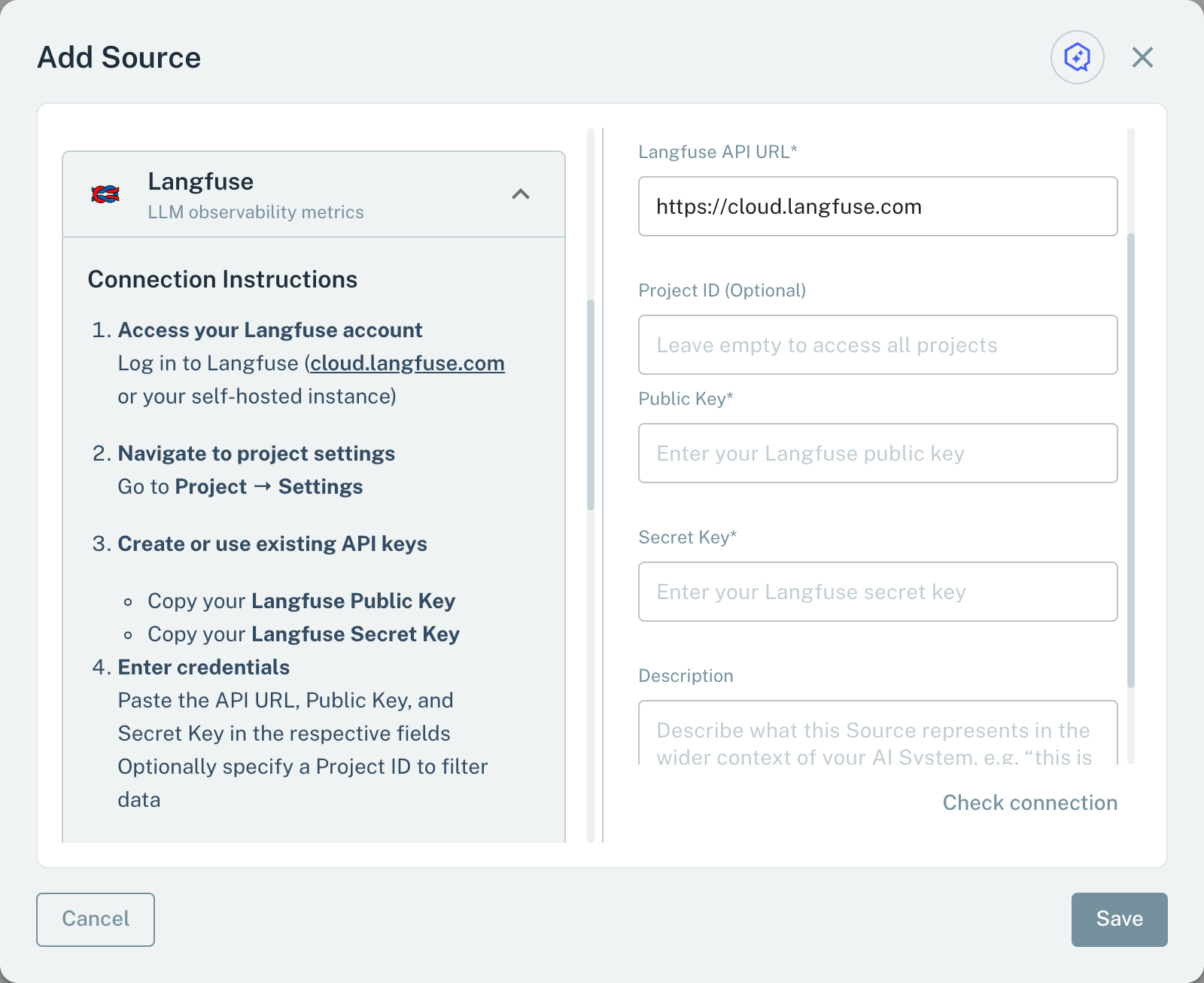
- 1Langfuse API URLThe URL of your Langfuse server or region.
- 2Project IDKeep it empty.
- 3Public KeyThe public key of the key pair.
When you save, Modulos reads the projects of the key pair. If Langfuse rejects the keys, the Source is not saved.
Metrics for Metric Tests
A Metric Test on a Langfuse Source reads one aggregated metric. The metric name has three parts, view:measure:aggregation:
| Example | Value |
|---|---|
observations:latency:p95 | The 95th percentile of the latency of the observations |
traces:totalCost:sum | The total cost of the traces |
scores-numeric:value:avg | The average of the numeric scores |
Langfuse checks the parts. Views include observations, scores-numeric, scores-categorical, and scores-boolean. Measures include latency, totalTokens, totalCost, and count. Aggregations include sum, avg, count, p50, p75, p90, p95, and p99.
- In the test dialog, type the metric name.
- Select Check.
Modulos sends the query to Langfuse for the last 24 hours. Modulos accepts a correct name, also when the project has no data. When the test runs, Modulos reads the value for the schedule period of the test, or for 24 hours if the test has no schedule.
Langfuse version 4 does not have the traces view. Modulos reads a traces metric from the observations view. For count and latency, it uses the root observations only. traces:observationsCount and traces:scoresCount are not available.
Scout, Agent Tests, and the Risk Agent
Scout, Agent Tests, and the Risk Agent read a Langfuse Source with read-only queries:
- Traces: traces with name, user, session, tags, and time. Without a start time, the result covers the last 7 days.
- Trace details: the observations of one trace and its scores.
- Metrics: the same aggregated metrics as Metric Tests.
Important considerations
- Scout, Agent Tests, and the Risk Agent read only one Langfuse Source of the AI System. Metric Tests can use each Langfuse Source.
- If the metric name has an incorrect format or an invalid part, the dialog shows "Metric not found".