

Appearance
GitHub
The GitHub Source connects an AI System to one repository on github.com. Scout, Agent Tests, and the Risk Agent read the files and find code in the repository. Metric Tests cannot use a GitHub Source.
| Used by | Agent Tests, Scout, Risk Agent |
| Mode | Pull |
| Credentials | A personal access token, for private repositories and for code search |
| Metric selection | Not applicable |
The GitHub Source belongs to the AI System and all its members use it. The GitHub Connector is different: it belongs to one user. See Scout Connectors.
Where in Modulos
AI System → Settings → Sources → Add Source → GitHubadds the Source.
Before you start
- An Organization Admin makes GitHub available. See Source & Connectors.
- For a private repository, create a personal access token in GitHub, in
Settings → Developer settings → Personal access tokens. Give it thereposcope.
Modulos reads the files of a public repository without a token. Code search needs a token, also for a public repository.
How to connect GitHub
- Open
AI System → Settings → Sources. - Select Add Source.
- Select GitHub.
- Type a Source Name.
- Type the URL of the repository in Repository URL, for example
https://github.com/owner/repo. - For a private repository, paste the token into Personal Access Token.
- Type the branch to read in Branch.
- Select Save.
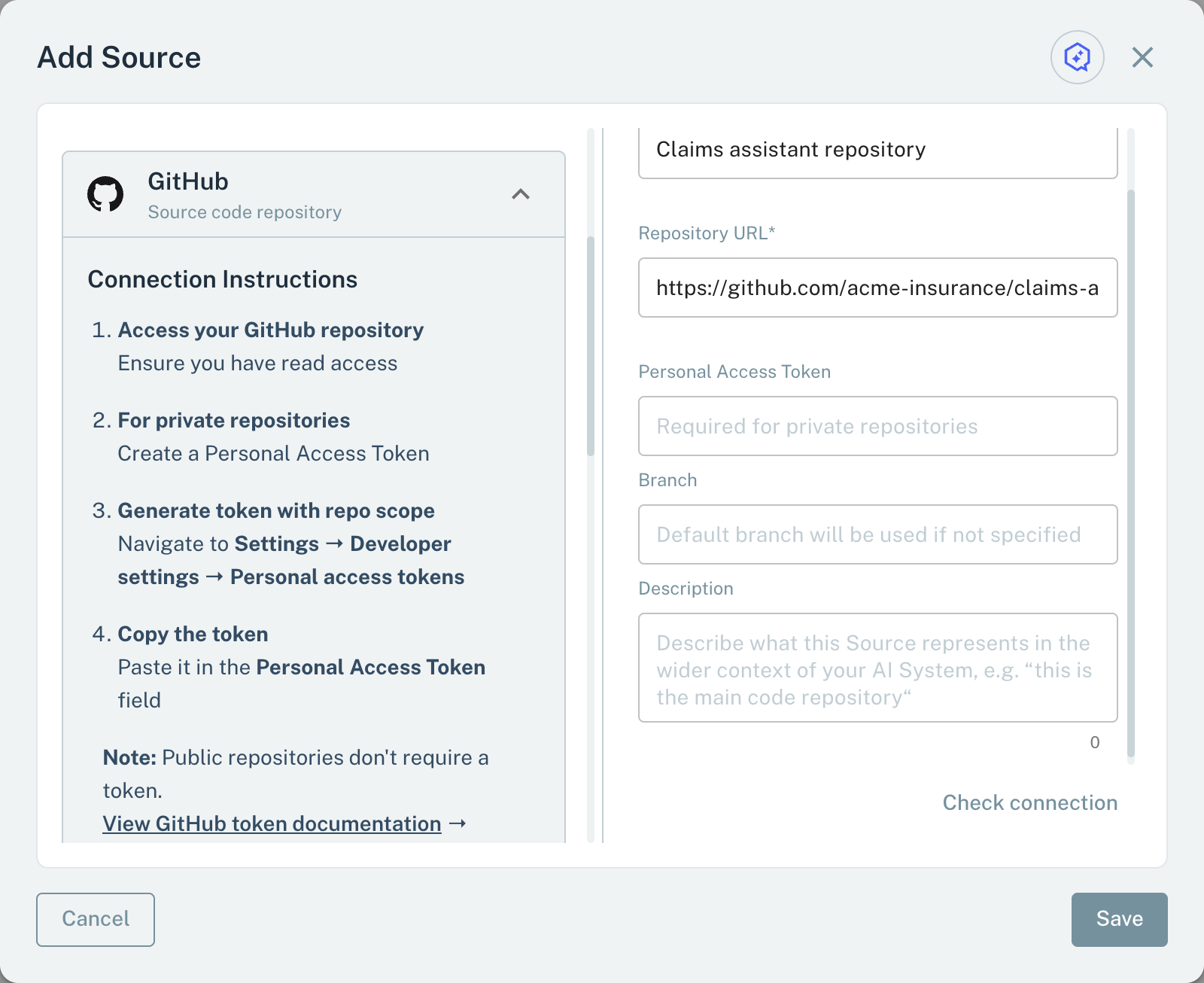
- 1Personal Access TokenNecessary for a private repository and for code search.
- 2BranchEmpty: Modulos reads the main branch.
When you save, Modulos reads the repository. If Modulos does not find the repository, or the token cannot read it, the Source is not saved. Modulos does not check the branch.
Scout, Agent Tests, and the Risk Agent
Scout, Agent Tests, and the Risk Agent read a GitHub Source with read-only requests:
- Code search: the 10 best results of a GitHub code search in the repository.
- Files: the text of a file, by path or by SHA. A read by path stops after 3,000 characters.
- Tree: the top-level folders and files of the branch, or one folder by its SHA.
Important considerations
- If Branch is empty, Modulos reads the branch
main. If the default branch of your repository has a different name, type it in Branch. - The code search uses the index of GitHub. It does not use the Branch field.
- Modulos reads text files only.
- The URL must start with
https://github.com/. Modulos cannot connect to GitHub Enterprise Server. - Add one GitHub Source for each repository.