

Appearance
Evidence Agent
The Evidence Agent helps you turn raw artifacts into audit-ready Evidence: clearer summaries, better mapping to Controls, and less manual bookkeeping.
What this is
The Evidence Agent generates suggestions for an Evidence item:
- a concise, auditor-friendly title
- an executive summary grounded in the document content
- candidate Controls in your AI System, with an explanation and relevance score
Suggestions are designed to accelerate human decisions, not replace them.
Where in Modulos
The Evidence Agent runs automatically after an upload and can be re-run while you edit the pending Evidence.
AI System → Evidence → New Evidenceto upload artifacts; the agent starts as soon as the upload dialog closesAI System → Evidence → Evidence Creationto review the suggestions, associate Controls, and re-run the agent before you save
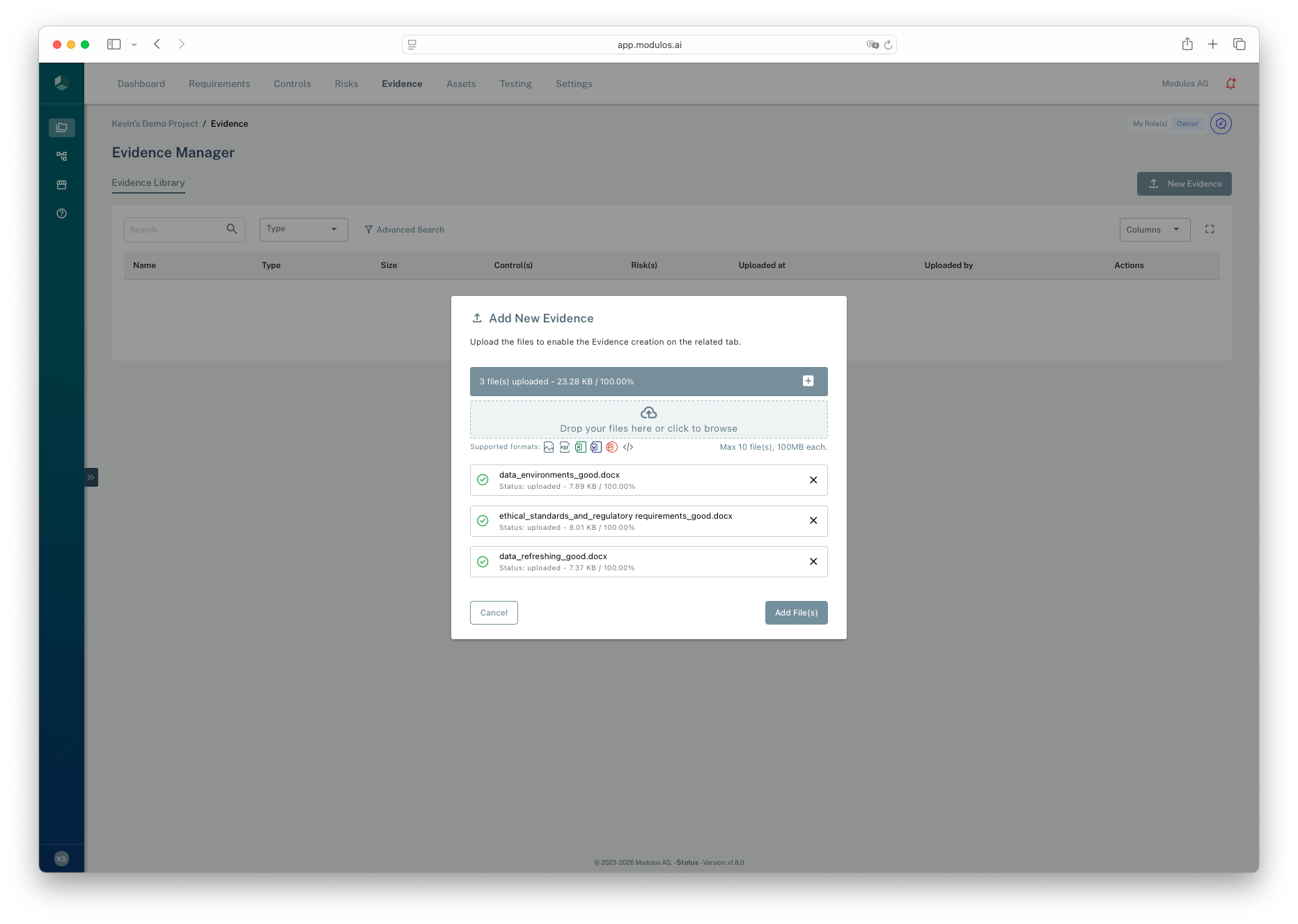
- 1Drop zoneUpload one or more artifacts to turn into Evidence items.
- 2Upload listReview which files will become Evidence.
- 3Add File(s)Continue to Evidence Creation; the AI Agent starts analyzing the upload automatically.
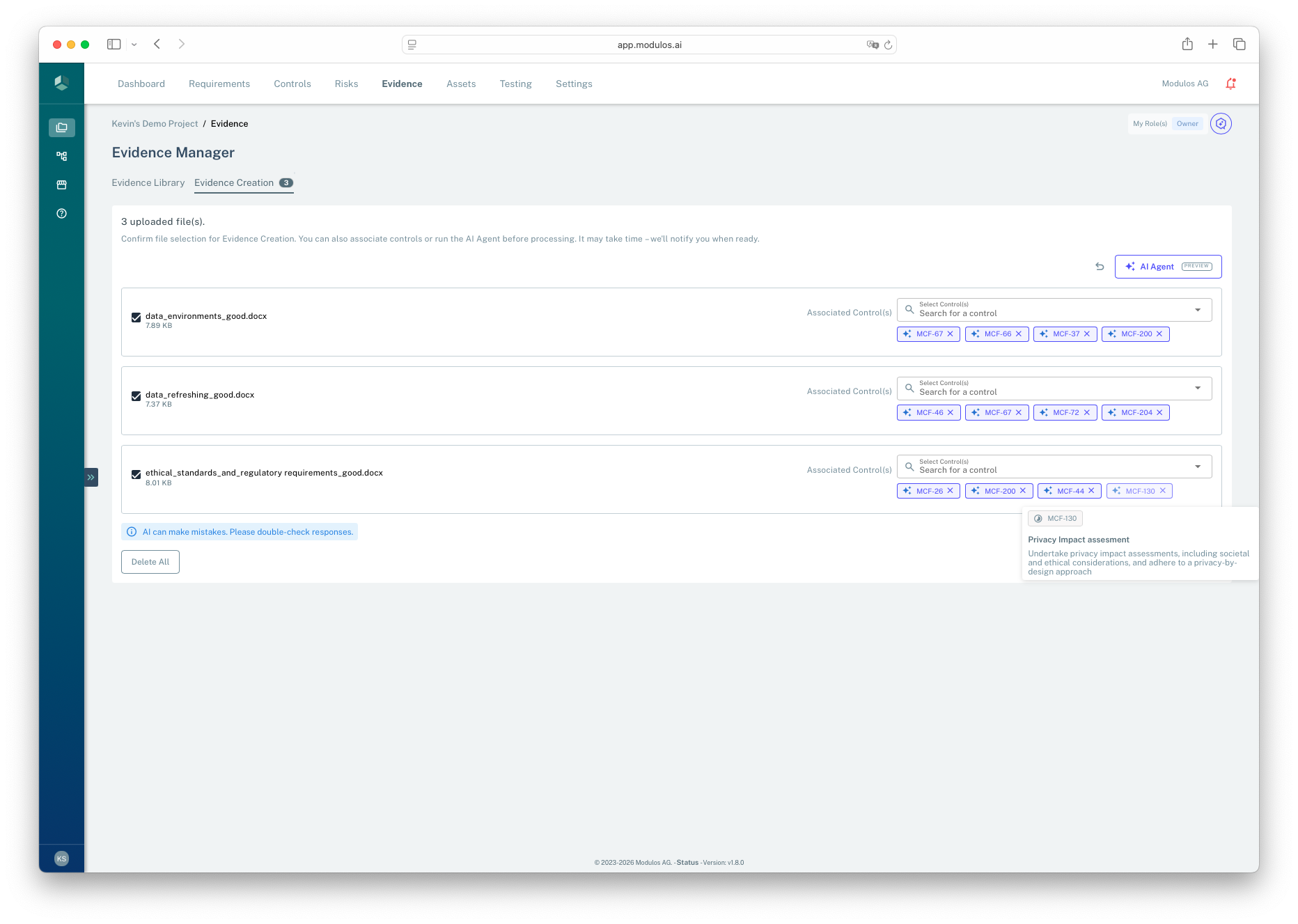
- 1AI AgentRe-run the agent after the automatic pass, for example after changing which Controls are associated.
- 2Associate ControlKeep the Evidence linked only to the Controls it actually supports.
- 3Evidence listEach uploaded file becomes a separate Evidence item you can enrich.
- 4Quality disclaimerAI can make mistakes. Review suggestions before saving.
Who can do what
Permissions
You need AI System permissions to create and edit Evidence, and to run AI suggestions.
- AI System Owners and Editors typically create Evidence, review the agent's suggestions, and apply mappings.
- Viewers typically view Evidence and follow links back to Controls.
The agent is enabled per organization. If uploads never show the analysis message and the AI Agent action is missing when editing Evidence, ask your AI System Owner or organization admin.
How it works
When an upload completes, Modulos:
- keeps the new items in Processing on the Evidence Creation tab, with the note "The AI Agent is analysing your upload. Recommendations will appear automatically." Actions on the item are disabled while the analysis runs.
- parses the Evidence content and generates a draft executive summary in the AI System language
- searches for relevant Controls in your AI System scope
- returns a ranked list of suggested Controls, each with an explanation, and sends the notification "Your upload of Evidence is ready for review."
To keep governance stable, suggestions exclude Controls that are already in a final, locked state.
The automatic run consumes your organization's AI usage quota. If it fails, for example because the quota is exhausted, the item returns to Pending without a message; run AI Agent manually or check Organization → Settings → AI Usage. A manual run while an analysis is still in progress is refused.
Uploads take up to 100 files at a time, at up to 50 MB per file.
How to use it
- Upload one or more artifacts as Evidence.
- Wait for the analysis to finish; the suggested title, summary, and Controls appear on each pending item.
- Review the suggested title and summary, then edit them to match your internal wording.
- Review suggested Controls and keep only the ones you actually want the Evidence to support. Select AI Agent to re-run after changes.
- Save the Evidence item and confirm the Control links are correct.
Important considerations
- AI can make mistakes. Treat suggestions as drafts and verify against the actual artifact.
- Re-running the agent can overwrite unsaved edits to the title and summary; run it before you polish the wording.
- Keep Evidence stable once Controls are executed. Modulos locks Evidence when linked Controls advance, to preserve audit trail integrity.
- Quality depends on inputs. Text-based artifacts produce better suggestions than scanned images or low-quality exports.