

Appearance
Datadog
The Datadog Source connects an AI System to a Datadog account. Metric Tests read the value of one Datadog metric and compare it with a threshold.
| Used by | Metric Tests |
| Mode | Pull |
| Credentials | Server URL, an API key, and an application key |
| Metric selection | Type the metric name |
Scout, Agent Tests, and the Risk Agent cannot read a Datadog Source. An Agent Test that has a Datadog Source in its Sources ends with an error.
Where in Modulos
AI System → Settings → Sources → Add Source → Datadogadds the Source.
Before you start
- An Organization Admin makes Datadog available. See Source & Connectors.
- In Datadog, create an API key and an application key.
Modulos can connect to two Datadog sites:
| Datadog site | Server URL |
|---|---|
US1 (datadoghq.com) | https://api.datadoghq.com |
EU (datadoghq.eu) | https://api.datadoghq.eu |
Modulos uses the EU site when the URL contains datadoghq.eu, and the US1 site for all other URLs. Accounts on other Datadog sites cannot connect.
How to connect Datadog
- Open
AI System → Settings → Sources. - Select Add Source.
- Select Datadog.
- Type a Source Name.
- Type the URL of your site in Server URL.
- Paste the API key into API Key.
- Paste the application key into Application Key.
- Select Save.
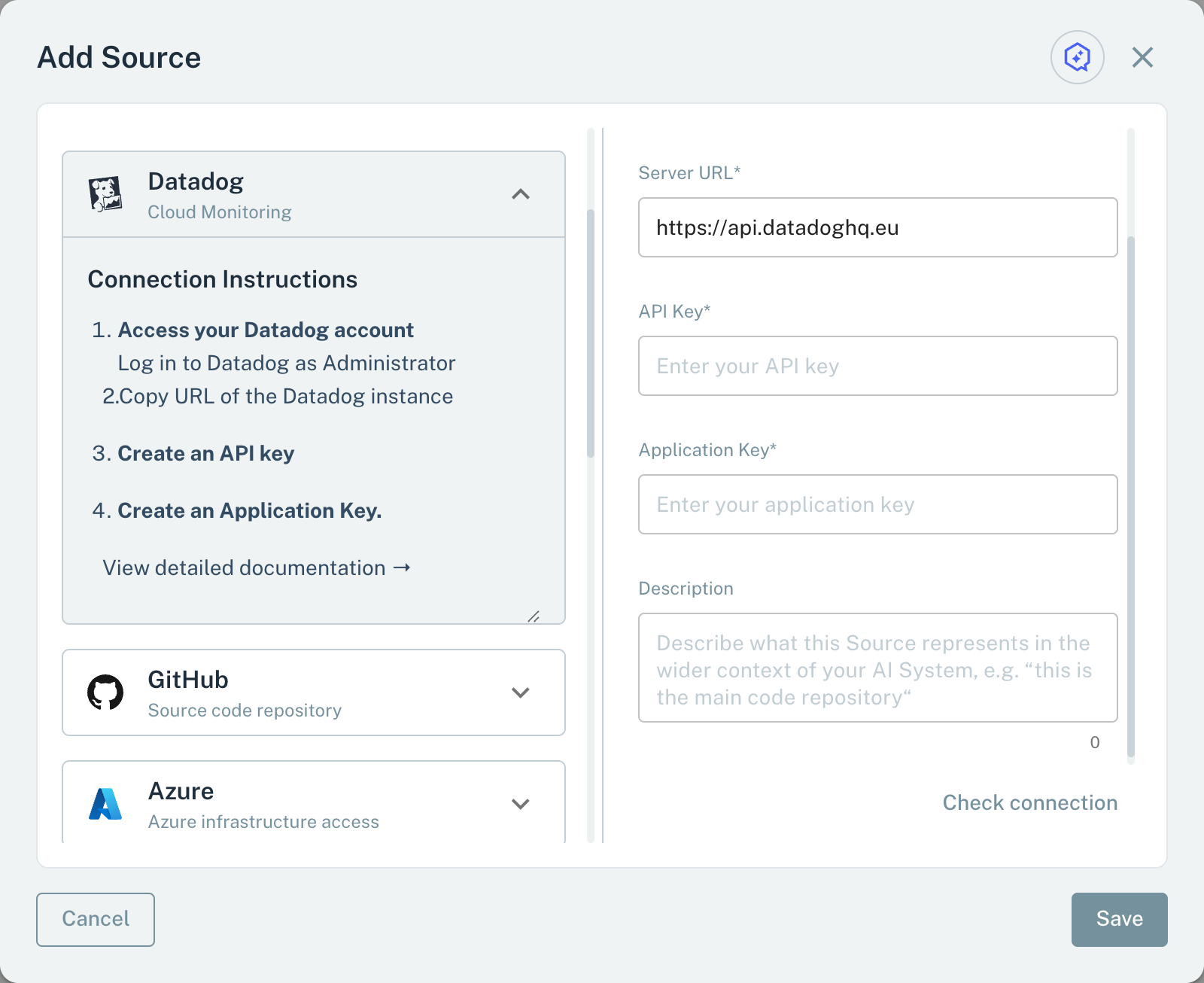
- 1Server URLThe URL of your Datadog site: US1 or EU only.
- 2API KeyModulos checks it when you save.
- 3Application KeyReads the metric tag configurations of the account.
When you save, Modulos checks the API key. It then uses the application key to read the metric tag configurations of the account. If one check fails, the Source is not saved.
Metrics for Metric Tests
A Metric Test on a Datadog Source reads one metric:
- In the test dialog, type the metric name, for example
system.cpu.user. - Select Check.
Modulos reads the description of the metric and its data of the last month. If the metric has no data in the last month, the dialog shows "Metric not found".
Each run first checks the metric as Check does. If the metric has no data in the last month, the run ends with an error.
Then Modulos reads the metric for all tags (<metric>{*}). Modulos first examines the data of the last day, then the data of the last week, month, and quarter. It does not examine data older than the schedule period of the test. If the test has no schedule, it examines the last day only. It uses the last point of the first series that it finds.
Important considerations
- Type a metric name only. Modulos does not accept tag filters, functions, or formulas.
- The application key must have permission to read metric tag configurations.