

Appearance
Prometheus
The Prometheus Source connects an AI System to a Prometheus server. Metric Tests read the value of one Prometheus metric and compare it with a threshold.
| Used by | Metric Tests |
| Mode | Pull |
| Credentials | Server URL and an API key that the server accepts as a Bearer token |
| Metric selection | Type the metric name |
Scout, Agent Tests, and the Risk Agent cannot read a Prometheus Source. An Agent Test that has a Prometheus Source in its Sources ends with an error.
Where in Modulos
AI System → Settings → Sources → Add Source → Prometheusadds the Source.
Before you start
- An Organization Admin makes Prometheus available. See Source & Connectors.
- Get the URL of the Prometheus server, for example
https://prometheus.example.com:9090. - Get a read-only token that the server, or a proxy in front of it, accepts in the header
Authorization: Bearer <token>.
How to connect Prometheus
- Open
AI System → Settings → Sources. - Select Add Source.
- Select Prometheus.
- Type a Source Name.
- Type the URL of the server in Server URL.
- Paste the token into API Key.
- Select Save.
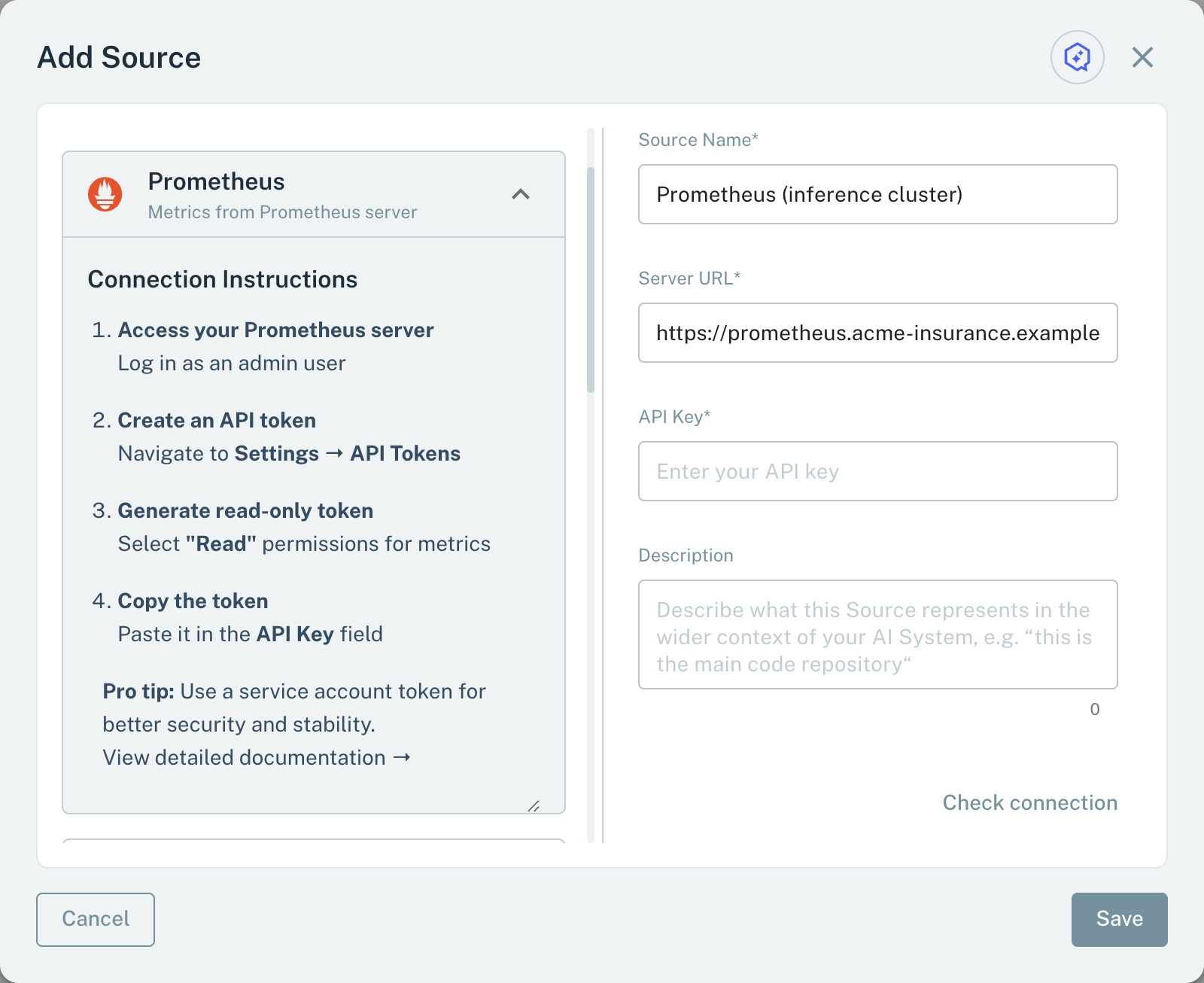
- 1Server URLThe URL of the Prometheus server.
- 2API KeyA token that the server accepts as a Bearer token.
When you save, Modulos sends the query up to the server with the token. If the server does not answer or rejects the token, the Source is not saved.
Metrics for Metric Tests
A Metric Test on a Prometheus Source reads one metric:
- In the test dialog, type the metric name, for example
http_requests_total. - Select Check.
Modulos reads the current value of the metric and the help text that Prometheus gives for it. If the metric has no current value, the dialog shows "Metric not found". A value that is a number makes a number metric. Other values make a text metric.
Before each run, Modulos does the Check again. If the metric has no current value at that time, the run ends with an error. Then Modulos sends last_over_time(<metric>[<window>]). The window is the schedule period of the test, or 1 day if the test has no schedule. If the metric has more than one series, Modulos uses the first series.
Important considerations
- Type a metric name, not a PromQL expression.
- The Check step also reads
/api/v1/metadatafrom the server. If that endpoint fails, the check fails. - Give the token read access only.