

Appearance
Reports & Exports
Exports are how you turn Modulos work into auditor-consumable artifacts: point-in-time snapshots of scope, status, Evidence, and decisions.
For the full traceability model, see Governance Operating Model.
What this is
Exports are intentionally conservative: they reflect what is currently recorded in the platform and can be shared externally.
In practice, you export:
- The AI System PDF to share a full scope snapshot
- Evidence files to provide proof artifacts to auditors or internal assurance teams
- Asset files to share living documentation as portable documents
Where in Modulos
AI System → Dashboard → Exportfor the AI System snapshot PDFAI System → Evidenceto download Evidence filesAI System → Assets → select an asset → Download Fileto download asset content
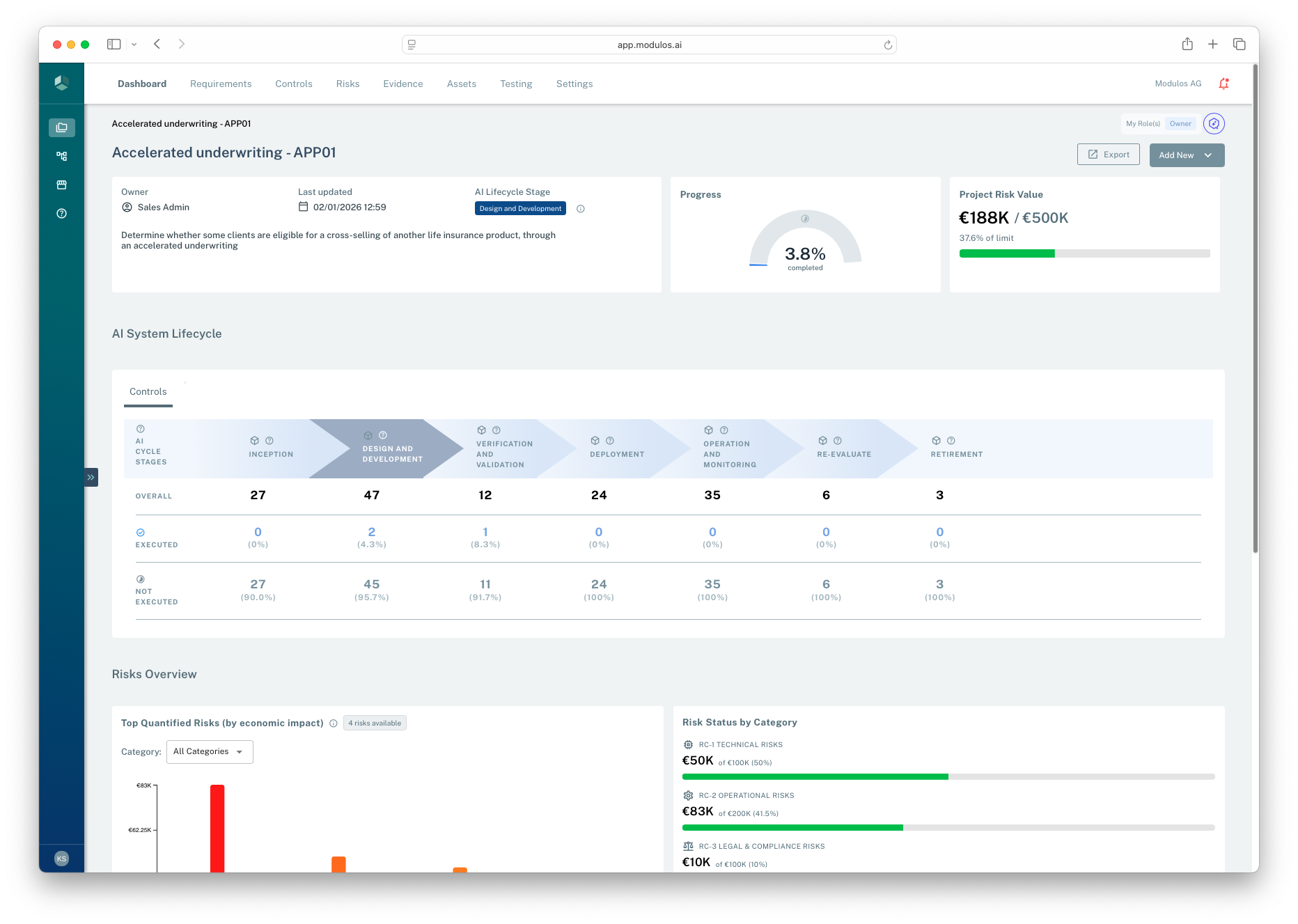
- 1ExportGenerates an AI System snapshot PDF that captures scope, status, and key rollups.
- 2AI System contextConfirm you are in the correct AI System before exporting.
Who can do what
Permissions
- Most users can view exports and download Evidence within the AI Systems they have access to.
- Export actions are typically restricted to AI System Owners to avoid uncontrolled sharing.
- Viewers can often access exports as read-only artifacts when granted access to the AI System.
How it works
Exports are generated server-side and should be treated as point-in-time snapshots:
- exports reflect the current state of the AI System at the time you generate them
- PDFs include an export date (and are generated with a timezone parameter)
Building an audit pack
If you need to assemble an audit pack today, a practical starting point is:
- the AI System export PDF (scope + rollups)
- Evidence files referenced by the most critical Controls
- key assets (system description, policies, procedures) downloaded from their asset pages
The diagram below shows a practical audit pack bundle built from exports, Evidence files, and key assets.
Audit pack
How three export surfaces collapse into one shippable bundle.
Inputs
Project PDF export
Evidence files (per-file download)
Asset files (Download File)
Audit pack
Single shippable bundle
All three inputs, versioned together, ready for the auditor.
Snapshot Exports are snapshots. Keep scope stable before exporting — the bundle freezes whatever was in place at export time.
How to use it
1
Stabilize scope
Confirm frameworks, roles, and AI System scope statement are correct
2
Ensure decisions are recorded
Finish Control statuses and Requirement reviews so the record is auditable
3
Export the AI System
Generate the AI System PDF snapshot as the primary audit artifact
4
Bundle Evidence
Download the Evidence files referenced by the most critical Controls
Important considerations
- Exports are not the audit trail. They are views of the audit trail at a moment in time.
- Freeze framework updates when approaching audit completion so exported scope remains stable.
- Prefer bundling the Evidence for a smaller set of high-impact Controls over downloading everything.