

Appearance
Vendor Records
A Vendor record holds the data of one third party in Modulos. It has the details of the Vendor and an Assessment section with Status, Risk Level, Review Date, Responsible Person, Annual Contract Value, and Subprocessor.
What this is
The Add New Vendor and Edit Vendor dialogs have these fields:
| Field | What it means | Values or example |
|---|---|---|
| Vendor Name (necessary) | The name of the Vendor | "Fernbrook Model Hosting" |
| Type | A category for the filter | Supplier, Contractor, Partner, Data Source, Other |
| Website URL | The website of the Vendor | A URL |
| Description | A short text about the Vendor, up to 250 characters | Text |
| Address | Street, Number, Postal Code, City, State, and Country | A postal address |
| Responsible Person (necessary) | The user who does the follow-up work for the Vendor. The Vendors table shows this user in the Assignee column. | A user of the organization |
| Status (necessary) | Your decision about the Vendor | Active, In Review, Rejected. A new Vendor starts with In Review. |
| Risk Level | A value that you set to show which Vendors to examine first | Very Low, Low, Medium, High, Very High |
| Review Date | The date of the next check of the Vendor | 2027-03-31 |
| Annual Contract Value | The contract value for one year, in the currency of the organization | €250,000 |
| Subprocessor | Select it when the Vendor processes data for your organization | Yes or No |
| Privacy Policy URL | The link to the privacy policy of the Vendor | A URL |
| Terms of Service URL | The link to the "terms of service" of the Vendor | A URL |
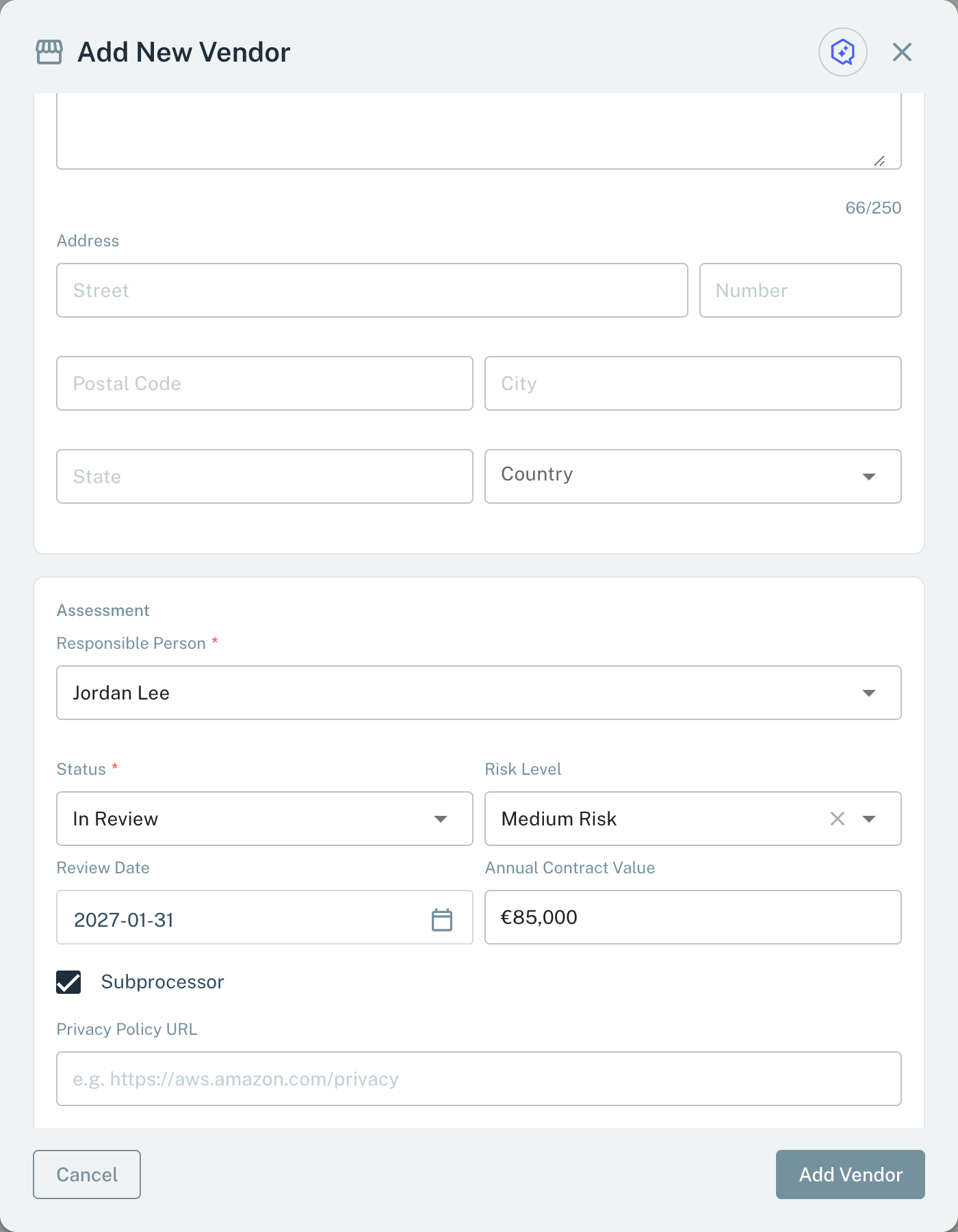
Add a Vendor. Vendor Name, Responsible Person, and Status are necessary.
- Responsible Person The user who does the follow-up work. Necessary.
- Status Necessary. A new Vendor starts with In Review.
- Add Vendor Save the new Vendor record.
Where in Modulos
- Vendors in the sidebar shows the Vendors table.
Vendors → New Vendoropens the Add New Vendor dialog.Vendors → select a Vendor → Overviewshows the record. Edit opens the Edit Vendor dialog, and Delete deletes the Vendor.
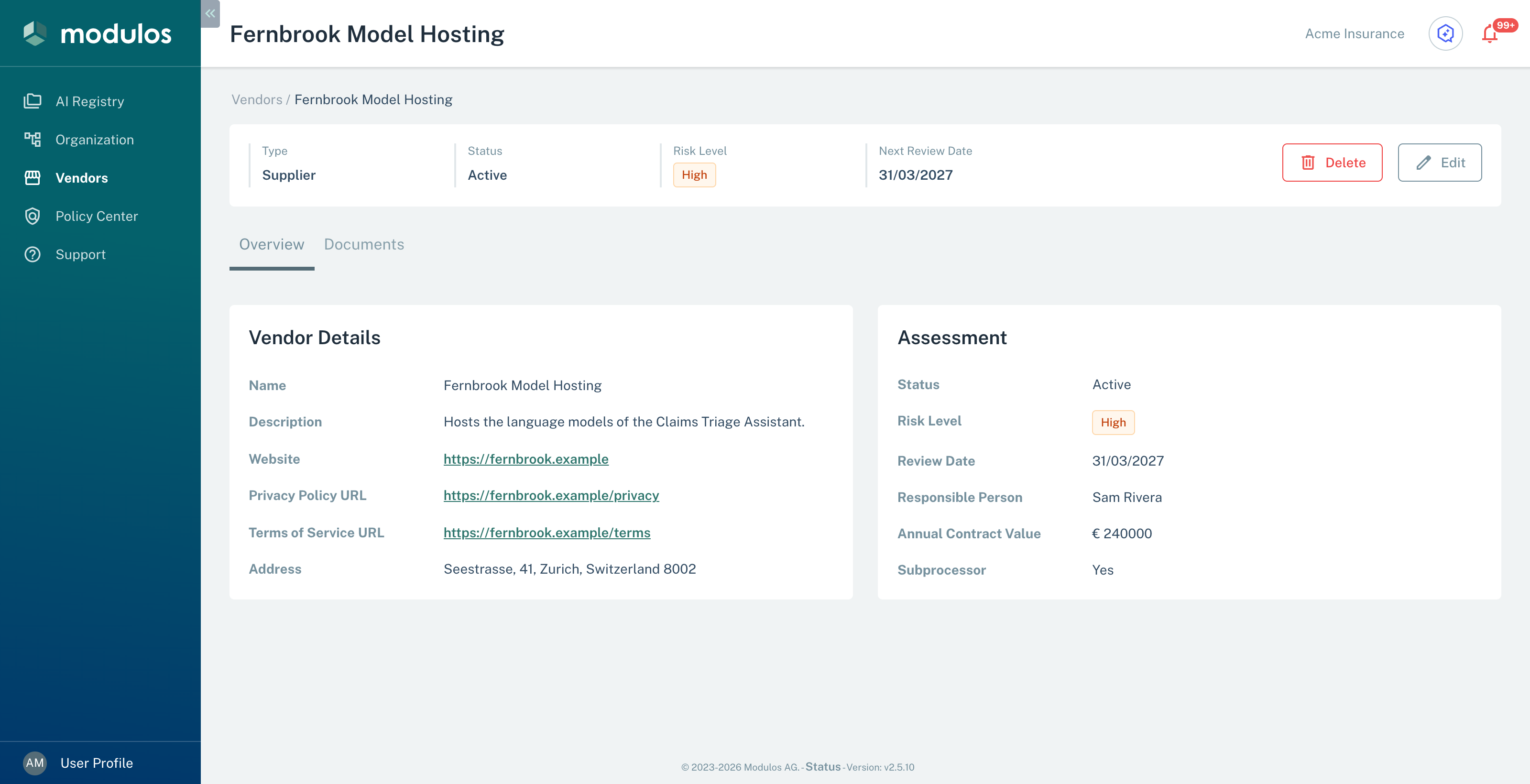
A Vendor record with its details and its assessment.
- Type, Status, Risk Level, Next Review Date The main values of the Vendor.
- Edit, Delete Change the record, or delete the Vendor.
- Assessment Status, risk level, review date, responsible person, contract value, and subprocessor flag.
Who can do what
Permissions
Each user of the organization can add, edit, and delete Vendor records. See Vendor Overview.
How it works
- The Vendor page shows Type, Status, Risk Level, and Next Review Date at the top. The Overview tab has two sections. The Vendor Details section shows the name, the description, the links, and the address. The Assessment section shows the other fields.
- Delete asks for confirmation. Then Modulos deletes the Vendor permanently.
- A Vendor record has no change history and no Comments & Logs tab. The record shows only the current values.
- Modulos does not send a reminder on the Review Date. Sort the Vendors table by Review Date to find the Vendors that are due.
How to use it
- Add a Vendor record when a team wants to use a new third party.
- Keep Status at In Review while you collect documents and examine the Vendor.
- Set Risk Level and Review Date for the function of the Vendor in your AI systems.
- When your organization accepts the Vendor, set Status to Active.
- When your organization does not accept the Vendor, set Status to Rejected. The record then keeps the decision.
Important considerations
- Keep one record for each Vendor, for all teams and AI Systems.
- For a Vendor with Subprocessor selected, collect more contract and privacy documents.
- When the function of a Vendor changes, update the record and examine the Vendor again. Do not wait for the Review Date.