

Appearance
API Tokens
An API token is a bearer token of one user. It gives programmatic access to the Modulos API.
What this is
An API token:
- belongs to one user
- has an expiry time
- shows in the token table of its owner, who can revoke it
Use tokens for automation and integrations where an interactive login does not work.
Treat tokens like passwords
Anyone with your API token can do in Modulos what you can do.
Where in Modulos
User Settings → API Tokens
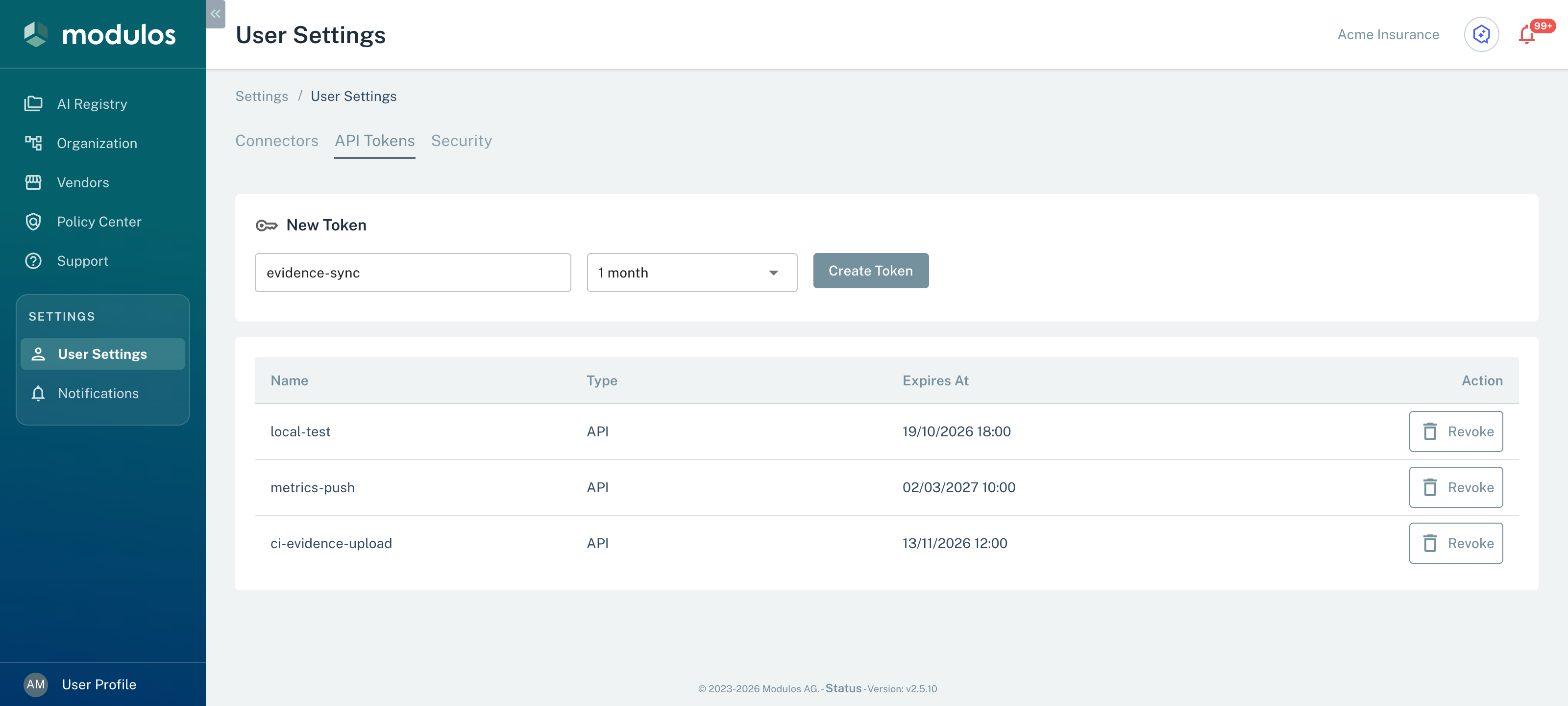
You create and revoke API tokens in User Settings.
- API Tokens Your own API tokens.
- New Token Type a name and select a Duration from 1 hour to 1 year.
- Create Token Makes the token. Modulos shows its value one time.
- Revoke Revokes a token that you do not use, or a token that a different person possibly saw.
Create a token
- Open
User Settings → API Tokens. - In New Token, type a Token Name.
- Select a Duration: 1 hour, 1 day, 1 week, 1 month, or 1 year.
- Select Create Token.
- Copy the token value from the notice.
Modulos shows the token value one time. If you cannot find a token, make a new token and revoke the first token.
Revoke a token
- Open
User Settings → API Tokens. - Find the token in the table.
- In the Action column, select Revoke.
How tokens interact with access
A token gives no more permissions than its user has. It has the organization and AI System access of the user who made it.
For CI and tooling, many teams make a user only for automation. They give this user only the AI System roles that the automation needs.
Use with Modulos Client
The Modulos Client uses an API token for authentication. Set the token as MODULOS_API_KEY in your environment.
bash
export MODULOS_API_KEY="..."See Resources → Modulos Client for working examples.
Best practices
- Keep tokens in a secret manager, not in source code.
- Use the shortest time that works for your workflow.
- Replace tokens frequently, and revoke tokens that you do not use.
- Give automation users the minimum rights.
Important considerations
- If you think that someone has seen a token, revoke it immediately. Then replace the token in each integration that uses it.
- Use a different token for each integration. Then you can revoke one token without effect on the other integrations.