

- Risk appetite and budgets
- Quantified risk values
- Reports and exports
Appearance
Organization settings define a small set of defaults that apply across projects. These defaults are most valuable when they're set early and used consistently across governance, risk quantification, and reporting.
Organization settings help you keep governance consistent:
Most organization settings are managed by organization admins, but viewable by regular members.
Organization → Settings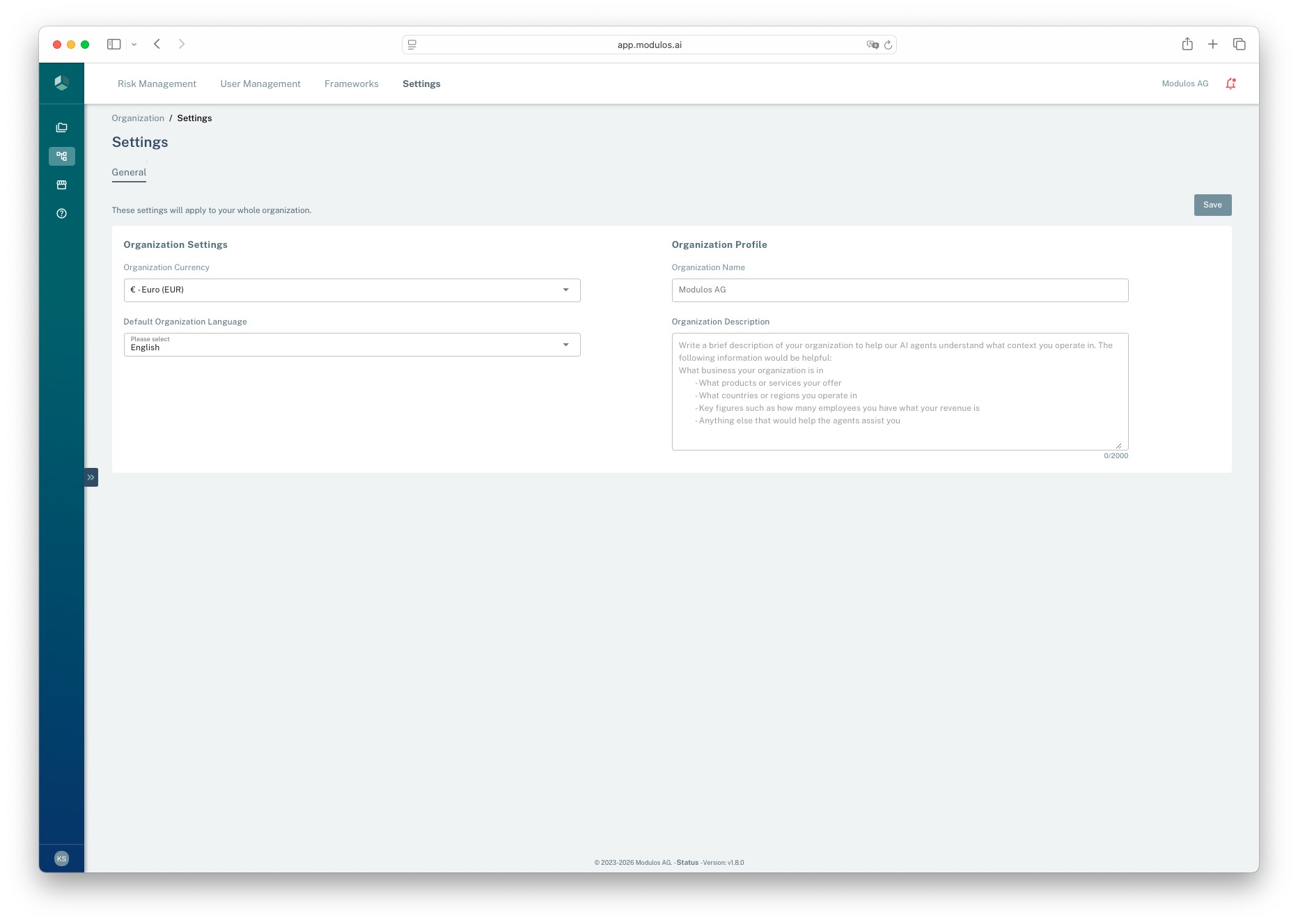
Permissions
If you can’t access the page, ask an organization admin to confirm your access.
Modulos treats money as the universal comparison unit for risk:
The currency you choose becomes the unit for:
Modulos does not automatically convert historical values if you change currency later. Set currency early and keep it stable.
The organization language sets the default UI language for the organization. It affects interface labels and some exports.
It does not translate your organization content. Control descriptions, Evidence summaries, and uploaded documents stay as written.
The organization name is set when the organization is created. The description is editable and serves two purposes: it provides context in reports and exports, and it is injected directly into Scout's system prompt. A well-written organization description significantly improves the relevance and specificity of Scout's answers across all projects.
The AI Usage tab on Organization Settings shows how much of the organization's monthly AI usage quota has been consumed: a percentage for the current billing month, a progress bar, and a state badge (Within limit, Approaching limit, Limit exceeded, or Quota disabled). Every organization role can see it. Usage resets at the start of each calendar month.
When the organization reaches its limit, AI features decline further work until the next month: Scout replies that the organization has reached its AI usage limit, Evidence and Control Assessment suggestions return the same message, and Risk Agent quantifications fail with a quota reason. Every organization has a quota: a default monthly limit applies until Modulos sets a custom one, so the tab always shows a live usage state. Contact support to change your limit.
Organization admins control which integrations exist for the whole organization on the Organization → Source Connectors page. It has two tabs, Connectors and Sources, each with a per-provider toggle. Every provider starts disabled: until it is enabled here, it is not available in any project, new or existing.
How it works:
Why use it:
Where in Modulos:
Organization → Source Connectors (Organization Admins only)Integration availability
If you don't see an expected Source or Connector type, check with your organization admin to confirm it's enabled for your organization.
Choose the currency used for risk appetite and quantified values
Choose the default UI language for the organization
Write a short org profile used as context in reporting
Apply changes for the organization
Organization → Settings, your organization role may not include settings access.