

Appearance
Vendor Documents
Vendor documents are the artifacts you need for due diligence and audit support—contracts, reports, questionnaires, and other third-party proof.
What this is
Use vendor documents to keep third-party artifacts:
- easy to find when an auditor asks
- attached to the right vendor record
- owned by the right person
Common examples:
- DPA and subprocessor addendum
- SOC 2 report or ISO certificates
- security questionnaire and responses
- model cards or vendor technical documentation
Where in Modulos
- Main navigation → Vendors → select a vendor → Documents to view, upload, download, and delete files
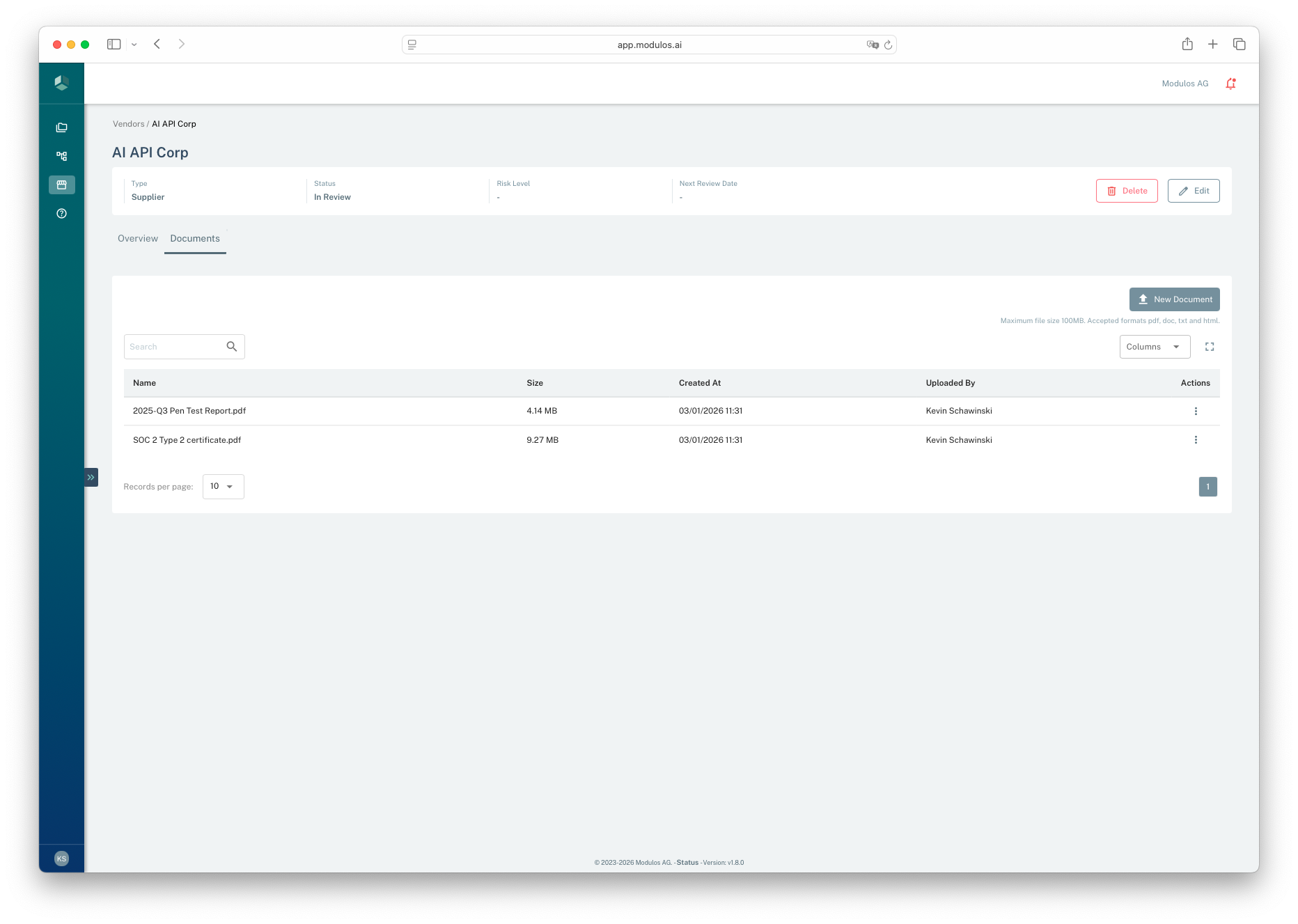
- 1New DocumentUpload an artifact such as a DPA, SOC report, or questionnaire.
- 2SearchFind documents by name when you are preparing an audit pack.
- 3MetadataSee size, upload time, and who uploaded the file.
- 4ActionsDownload or delete documents from the actions menu.
Who can do what
Permissions
Vendor documents use organization-level permissions.
- Organization Admins can upload, download, and delete vendor documents.
- Organization Members can typically view and download vendor documents.
How it works
- Uploads are attached to a specific vendor record.
- Files are stored with metadata such as upload time and uploader.
- Modulos accepts common audit-ready formats: PDF, DOC, TXT, and HTML.
How to use it
- Open a vendor record and navigate to the Documents tab.
- Upload the latest artifacts and name them clearly.
- When you receive an updated report or contract, upload the new version and update the vendor’s review date.
- If you need to reference vendor artifacts in project governance work, download the file and attach it where it is required.
Important considerations
- Avoid uploading secrets. Vendor documents should be governance artifacts, not credentials.
- Use predictable naming, for example
SOC2_Type2_2025.pdforDPA_2026-01-01.pdf. - If a file is too large or in an unsupported format, convert it to a supported audit-friendly format before upload.