

Appearance
Create a Project
Creating a project is a scoping decision. A well-scoped project stays stable over time, keeps evidence comparable, and avoids rework when audits arrive.
What this is
Project creation in Modulos produces:
- a project record with a type, name, and description
- an initial access model, including at least one project owner
- optional initial framework selection to auto-scope requirements and controls
Where in Modulos
Projects → New Projectto open the creation wizardProject → Settingsto refine frameworks, roles, and settings after creation
Who can do what
Permissions
- Organization Admins can create projects and set the initial access model.
- In some organizations, selected members can also create projects. If you can’t create a project, ask an organization admin to confirm access.
Inside the project:
- Project Owners configure settings and assign project roles.
- Editors implement controls and attach evidence.
- Reviewers approve status changes.
- Auditors have read-only access for assurance.
How it works
Project creation follows a simple pattern:
1. Define the scope
Choose a project type:
- AI system project for a specific AI system in its deployment context. In the UI, this type is labeled AI Application.
- Organization project for organization-wide governance programs and shared controls
Then write a description that functions as a scope statement:
- what is the system or program
- what is included and excluded
- who the provider and deployer are
- what environments or business processes the system influences
This description powers Scout
The project description is injected directly into Scout's system prompt (up to 5,000 characters). The more specific you are about the system's architecture, data sources, and deployment context, the more relevant Scout's answers will be. See First Steps for guidance on writing an effective description.
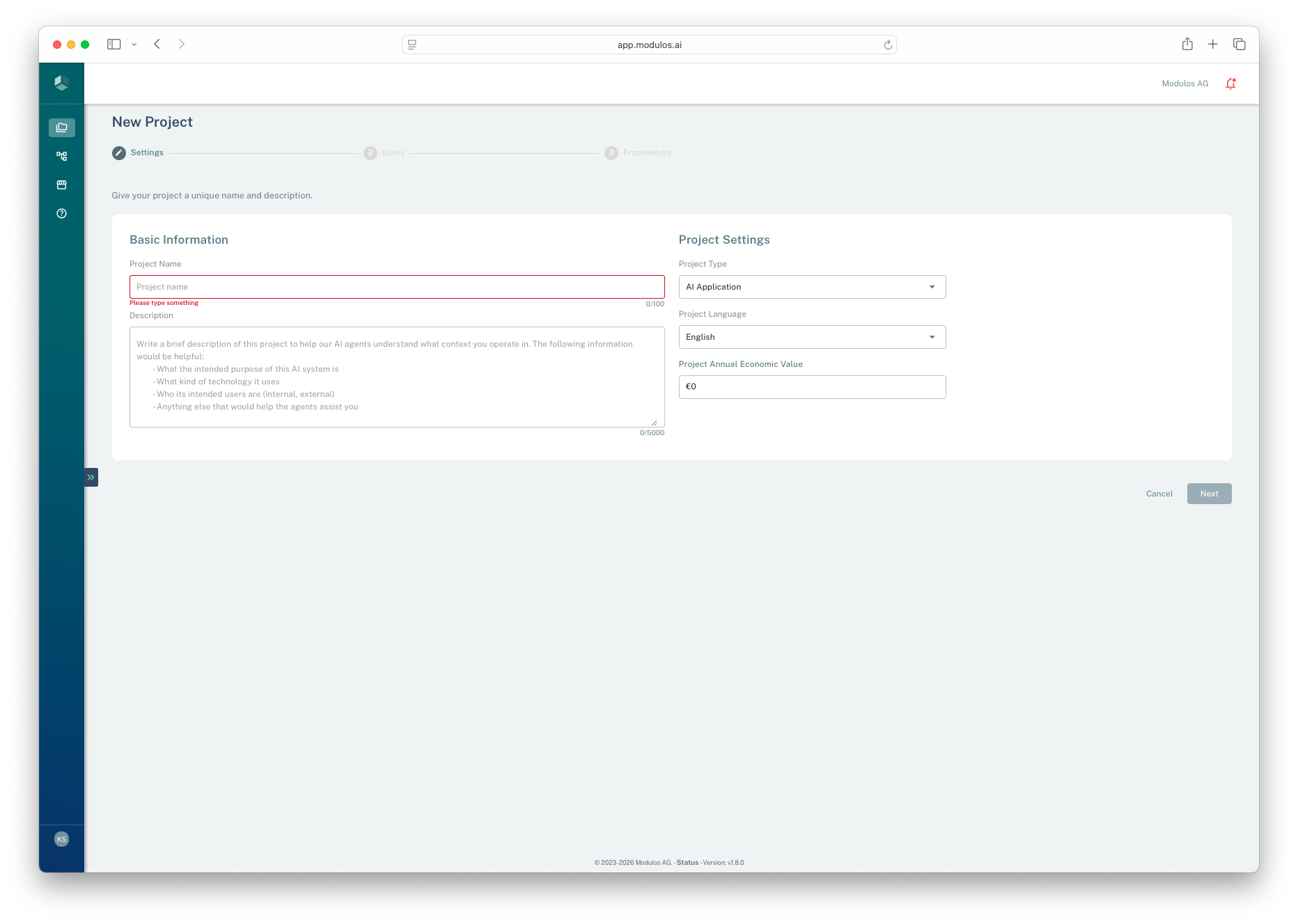
- 1Project nameUse a stable name an auditor and stakeholders will recognize.
- 2Scope statementTreat the description as the project boundary for governance, evidence, and risk.
- 3Project typeAI Application for AI system projects, or Organization for org-wide programs.
- 4Economic valueA scale indicator used for prioritization and risk governance discussions.
2. Set project defaults
During creation you set:
- Project language: the default UI language for the project
- Annual economic value: a scale indicator for risk quantification and prioritization
Economic value can be a rough estimate. You can start with 0 and refine later.
3. Assign initial roles
The creation wizard assigns project roles so work can start immediately.
Best practice:
- ensure at least one Owner is accountable for keeping the project moving
- assign at least one Reviewer early so review queues do not block completion
4. Select frameworks
If governance is available in your organization, you can select frameworks during creation.
When frameworks are added, Modulos scopes work by creating a traceable structure:
- requirements preserve the framework structure
- controls are mapped across requirements to reduce duplicate implementation work
You can add or update frameworks later. When nearing an audit, you can freeze framework updates to preserve stability.
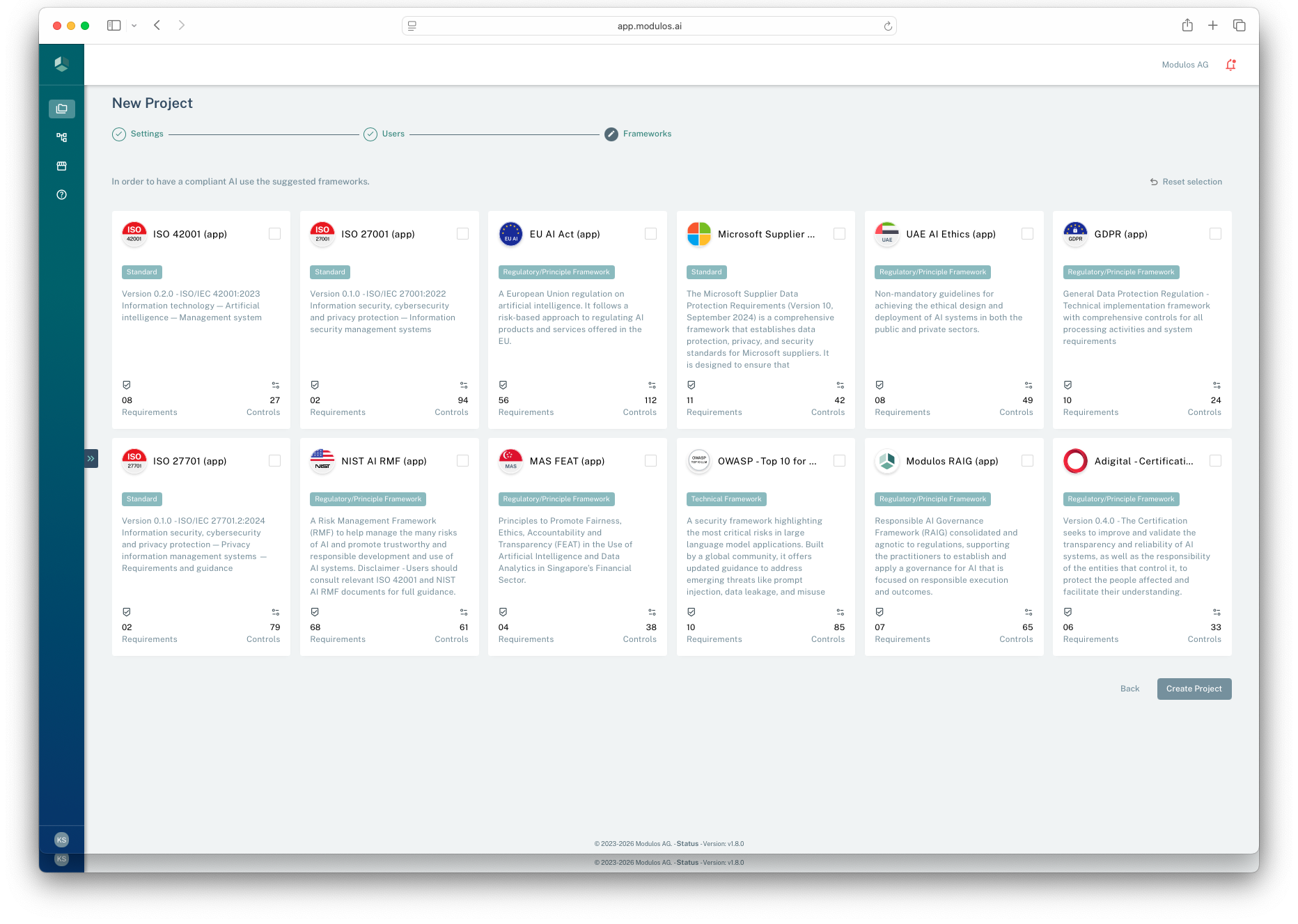
- 1Framework libraryPick the standards and regulations that apply to this project scope.
- 2Reset selectionClear picks if you want to start over.
- 3Create projectCreates the project and scopes requirements and controls from selected frameworks.
How to use it
1
Choose project type
AI system projects for system-scoped compliance and organization projects for management systems
2
Write the scope statement
Describe what is in scope in plain language that survives audits
3
Set defaults
Choose language and estimate annual economic value for risk context
4
Assign roles
Set owners and reviewers early to preserve separation of duties
5
Select frameworks
Auto-scope requirements and controls from the right standards
Important considerations
- Keep AI system projects narrow. One AI system or one use case per project keeps evidence and risk quantification defensible.
- Most organizations only need one organization project. Use it to host shared policies and cross-cutting controls.
- Treat the description as a contract with your future self. If it is vague, audits become slow.
- Separation of duties is easier to preserve when you assign reviewers early.