

Appearance
Evidence Agent
The Evidence Agent helps you turn raw artifacts into audit-ready evidence: clearer summaries, better mapping to controls, and less manual bookkeeping.
What this is
The Evidence Agent generates suggestions for an evidence item:
- a concise, auditor-friendly title
- an executive summary grounded in the document content
- candidate controls in your project, with an explanation and relevance score
Suggestions are designed to accelerate human decisions, not replace them.
Where in Modulos
The Evidence Agent is available during evidence creation and editing.
Project → Evidence → New Evidenceto upload artifacts and start evidence creationProject → Evidence → Evidence Creationto associate controls and run the agent before you save
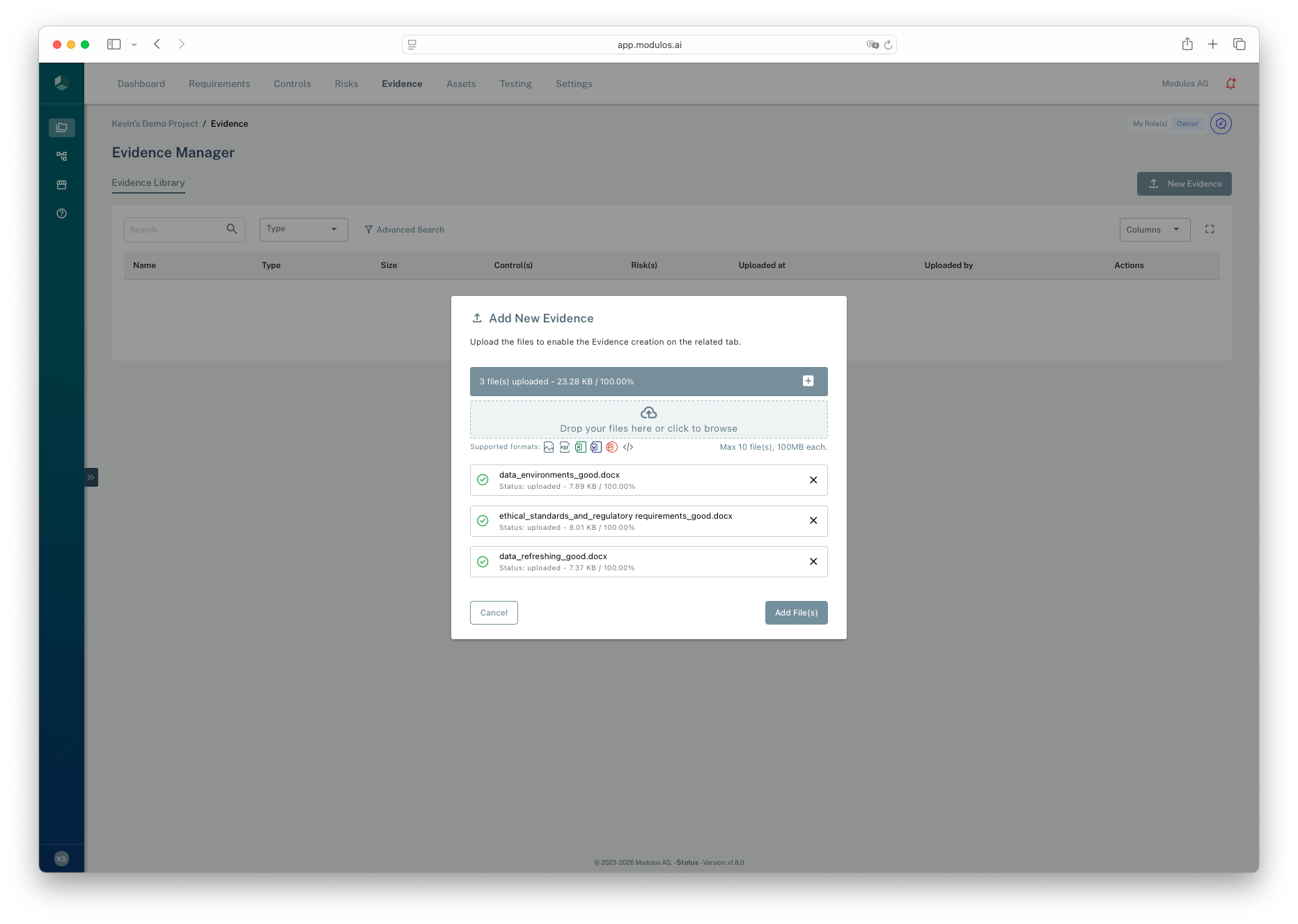
- 1Drop zoneUpload one or more artifacts to turn into evidence items.
- 2Upload listReview which files will become evidence.
- 3Add File(s)Continue to Evidence Creation to associate controls and run the AI Agent.
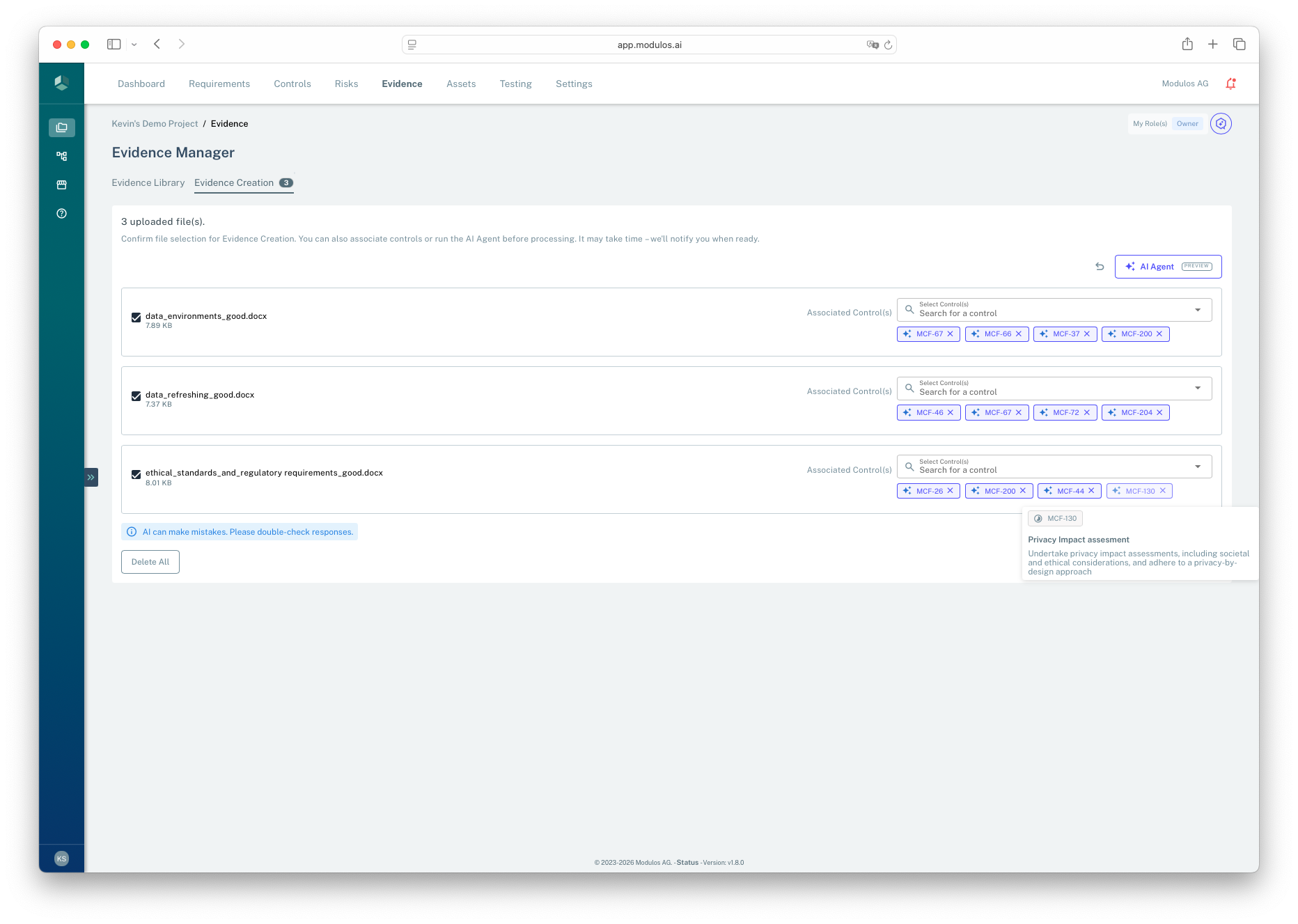
- 1AI AgentGenerate a suggested title, executive summary, and control recommendations.
- 2Associate ControlKeep the evidence linked only to the controls it actually supports.
- 3Evidence listEach uploaded file becomes a separate evidence item you can enrich.
- 4Quality disclaimerAI can make mistakes. Review suggestions before saving.
Who can do what
Permissions
You need project permissions to create and edit evidence, and to run AI suggestions.
- Project owners and editors typically create evidence, run the agent, and apply mappings.
- Reviewers and auditors typically view evidence and follow links back to controls.
If you don’t see the AI Agent action when editing evidence, ask your project owner or organization admin.
How it works
When you run the Evidence Agent, Modulos:
- parses the evidence content and generates a draft executive summary in the project language
- searches for relevant controls in your project scope
- returns a ranked list of suggested controls, each with an explanation
To keep governance stable, suggestions exclude controls that are already in a final, locked state.
How to use it
- Upload an artifact as evidence and open the create or edit dialog.
- Select AI Agent to generate suggestions.
- Review the suggested title and summary, then edit them to match your internal wording.
- Review suggested controls and keep only the ones you actually want the evidence to support.
- Save the evidence item and confirm the control links are correct.
Important considerations
- AI can make mistakes. Treat suggestions as drafts and verify against the actual artifact.
- Run the agent early. In the UI, running the agent can overwrite unsaved form content.
- Keep evidence stable once controls are executed. Modulos locks evidence when linked controls advance, to preserve audit trail integrity.
- Quality depends on inputs. Text-based artifacts produce better suggestions than scanned images or low-quality exports.