

Appearance
Vendor Overview
Vendor management is an organization-level capability for tracking third parties, documenting vendor posture, and storing vendor-related artifacts such as contracts and assessments.
What this is
In Modulos, a vendor is any third party you rely on to build, deploy, or operate an AI system. This includes:
- foundation model providers
- data suppliers and labeling vendors
- cloud infrastructure and observability providers
- contractors and implementation partners
Vendors let you keep third-party governance consistent across projects:
- a single source of truth for vendor ownership and review cadence
- a shared place to store vendor artifacts like DPAs and SOC reports
- a lightweight assessment surface that supports audit preparation
If you don’t see Vendors in your navigation, ask your organization admin.
Where in Modulos
Vendors are managed at the organization level.
- Main navigation → Vendors to view and search the vendor registry
- Vendors → select a vendor to review details and documents
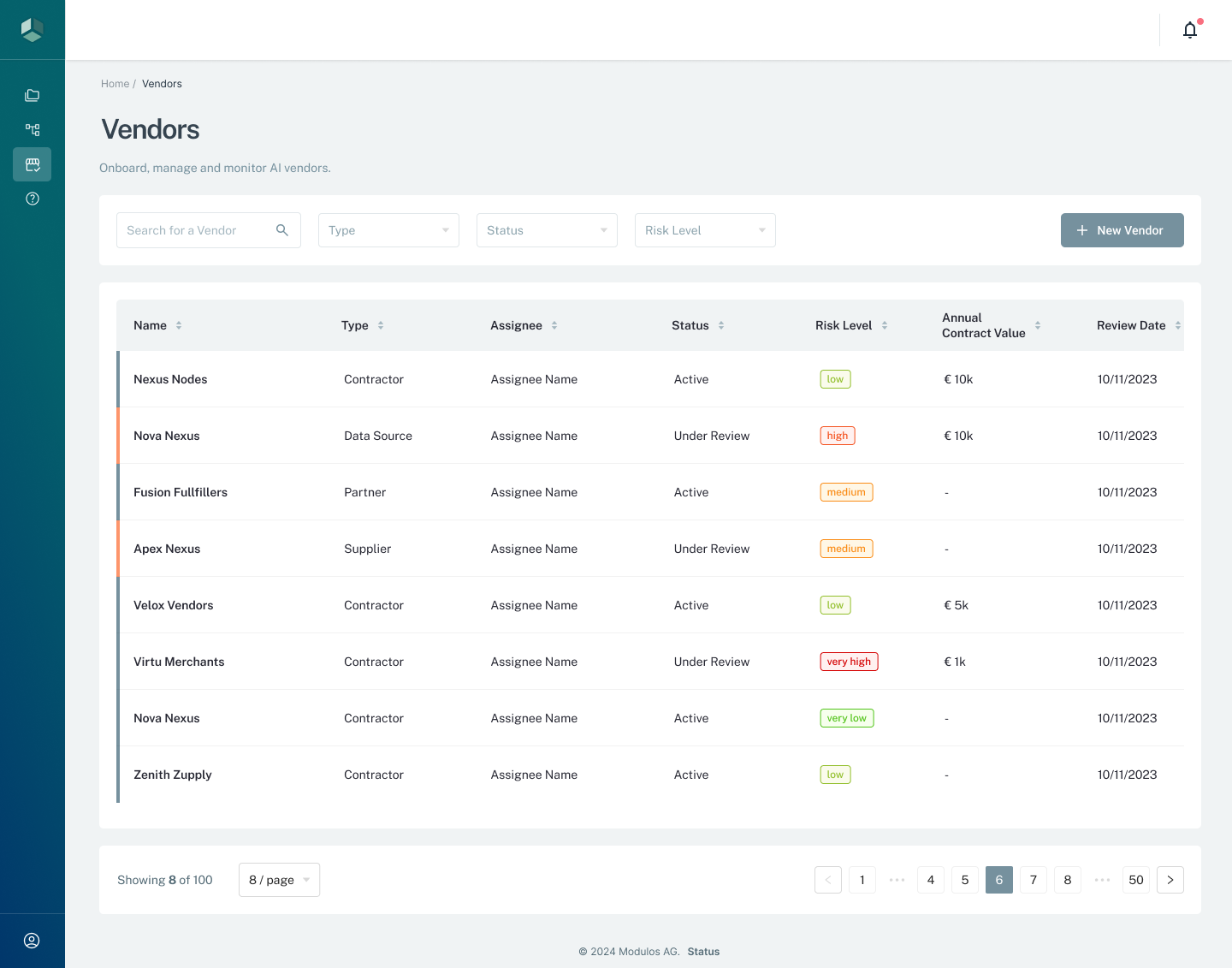
- 1FiltersSearch and narrow vendors by type, status, and risk level.
- 2New VendorCreate a vendor record and assign a responsible person.
- 3Status and review cadenceTrack vendor status, risk level, contract value, and the next review date.
Who can do what
Permissions
Vendors use organization-level permissions.
- Organization Admins can view and edit vendor records, and manage vendor documents.
- Organization Members can typically view vendors and documents, but cannot change them.
Organization roles do not automatically grant access to every project, and project roles do not change vendor permissions.
How it works
Vendor records combine a few governance primitives:
- Ownership: every vendor has a responsible person for follow-ups and review.
- Triage: risk level is a qualitative label used to prioritize diligence and cadence.
- Cadence: review date makes vendor posture a living record.
- Artifacts: documents attach the proof auditors ask for.
How to use it
- Create a vendor record and assign a responsible person.
- Set a status, risk level, and next review date.
- Attach key artifacts like a DPA, SOC report, or security questionnaire.
- Update the record when contracts change or your AI system’s reliance changes.
Important considerations
- Use vendors to stay consistent across teams and projects, not to duplicate project-level evidence.
- Treat vendor risk level as a prioritization label, not a substitute for monetary risk quantification.
- Keep documents current and name them clearly so audits don’t turn into archaeology.