

Appearance
Reports & Exports
Exports are how you turn Modulos work into auditor-consumable artifacts: point-in-time snapshots of scope, status, evidence, and decisions.
For the full traceability model, see Governance Operating Model.
What this is
Exports are intentionally conservative: they reflect what is currently recorded in the platform and can be shared externally.
In practice, you export:
- Project PDFs to share a full scope snapshot
- Control PDFs to share the most important control implementations and decisions
- Asset Markdown to share living documentation as a portable document
- Evidence files to provide proof artifacts to auditors or internal assurance teams
Where in Modulos
Project → Dashboard → Exportfor a project snapshot PDFControl detail → Exportfor a control snapshot PDFProject → Assets → Downloadto export asset content as MarkdownProject → Evidenceto download evidence files
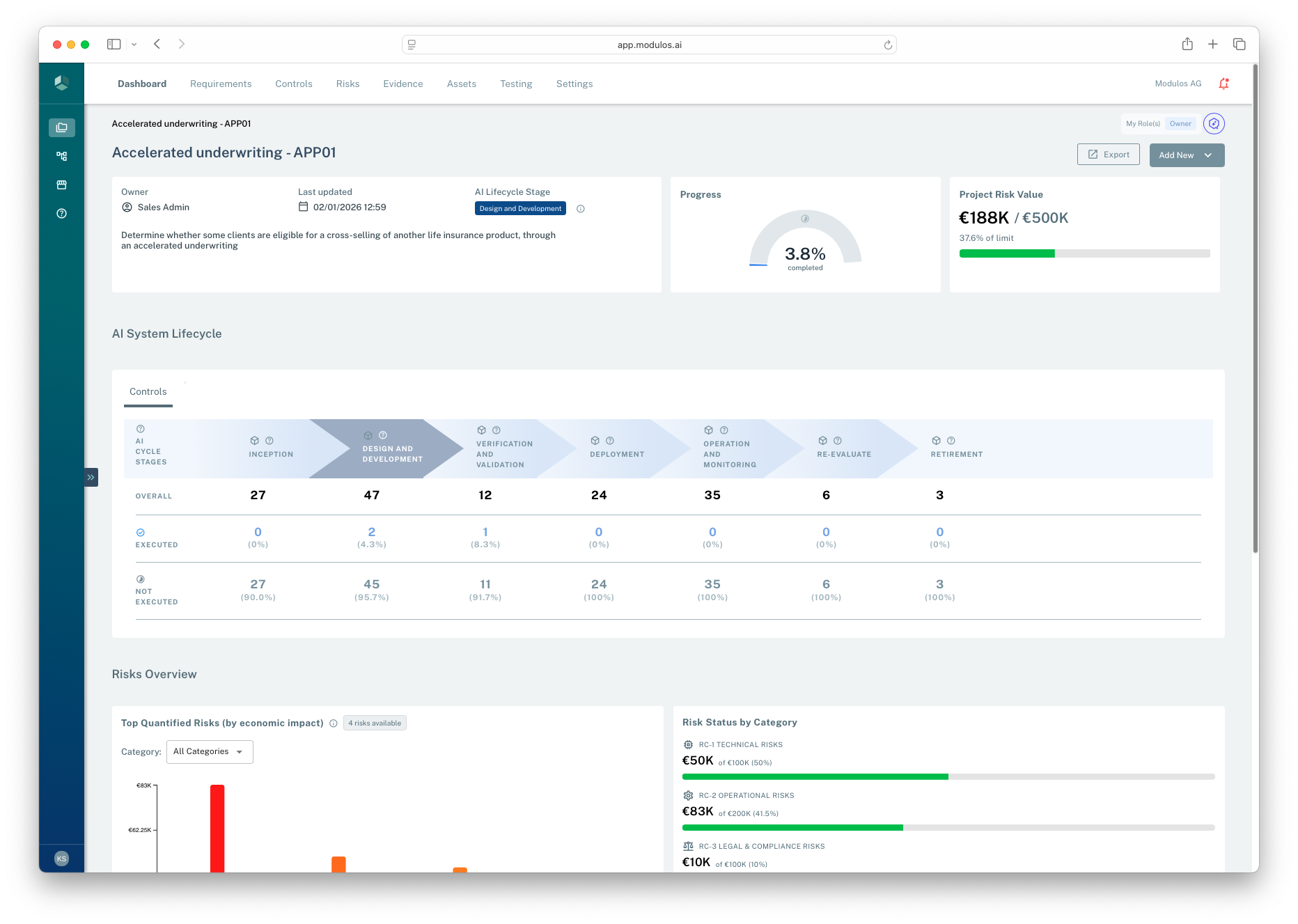
- 1ExportGenerates a project snapshot PDF that captures scope, status, and key rollups.
- 2Project contextConfirm you are in the correct project before exporting.
Who can do what
Permissions
- Most users can view exports and download evidence within the projects they have access to.
- Export actions are typically restricted to Project Owners (and sometimes reviewers) to avoid uncontrolled sharing.
- Auditors can often access exports as read-only artifacts when granted access to the project.
How it works
Exports are generated server-side and should be treated as point-in-time snapshots:
- exports reflect the current state of the project at the time you generate them
- PDFs include an export date (and are generated with a timezone parameter)
Building an audit pack
If you need to assemble an audit pack today, a practical starting point is:
- the project export PDF (scope + rollups)
- control export PDFs for the most critical controls
- evidence files referenced by those controls
- key assets (system description, policies, procedures) exported as Markdown or PDF where needed
The diagram below shows a practical audit pack bundle built from exports, evidence files, and key assets.
Project PDF export
Top controls (PDF exports)
Evidence files (attachments)
Key assets (Markdown exports)
Audit pack
Exports are snapshots. Keep scope stable before exporting.
How to use it
1
Stabilize scope
Confirm frameworks, roles, and project scope statement are correct
2
Ensure decisions are recorded
Complete reviews so executed controls and fulfilled requirements are auditable
3
Export the project
Generate a project PDF snapshot as the primary audit artifact
4
Export key controls
Export controls that are high-risk, high-impact, or frequently audited
5
Bundle evidence
Provide the evidence files referenced by exported controls
Important considerations
- Exports are not the audit trail. They are views of the audit trail at a moment in time.
- Freeze framework updates when approaching audit completion so exported scope remains stable.
- Prefer exporting a smaller set of high-impact controls with strong evidence over exporting everything.