

Appearance
Organization Settings
Organization settings define a small set of defaults that apply across projects. These defaults are most valuable when they're set early and used consistently across governance, risk quantification, and reporting.
What this is
Organization settings help you keep governance consistent:
- a single currency for monetary risk quantification and budgets
- a default UI language for the organization
- an organization description used as context in reports and exports
- integration controls to enable or disable specific Sources and Connectors organization-wide
Settings that ripple across projects
Organization Settings
Where it applies
What it changes
Currency
- Risk appetite and budgets
- Quantified risk values
- Reports and exports
- All money fields share one unit
- Comparability across projects
- No automatic retro conversion
Default language
- UI labels
- Some exports
- Display language only
- Does not translate content
Description
- Reports and exports
- Organization context
- Adds narrative context
- Helps auditors understand scope
Organization settings are small, but they influence how work is interpreted across projects and reporting.
Where in Modulos
Most organization settings are managed by organization admins, but viewable by regular members.
Organization → Settings
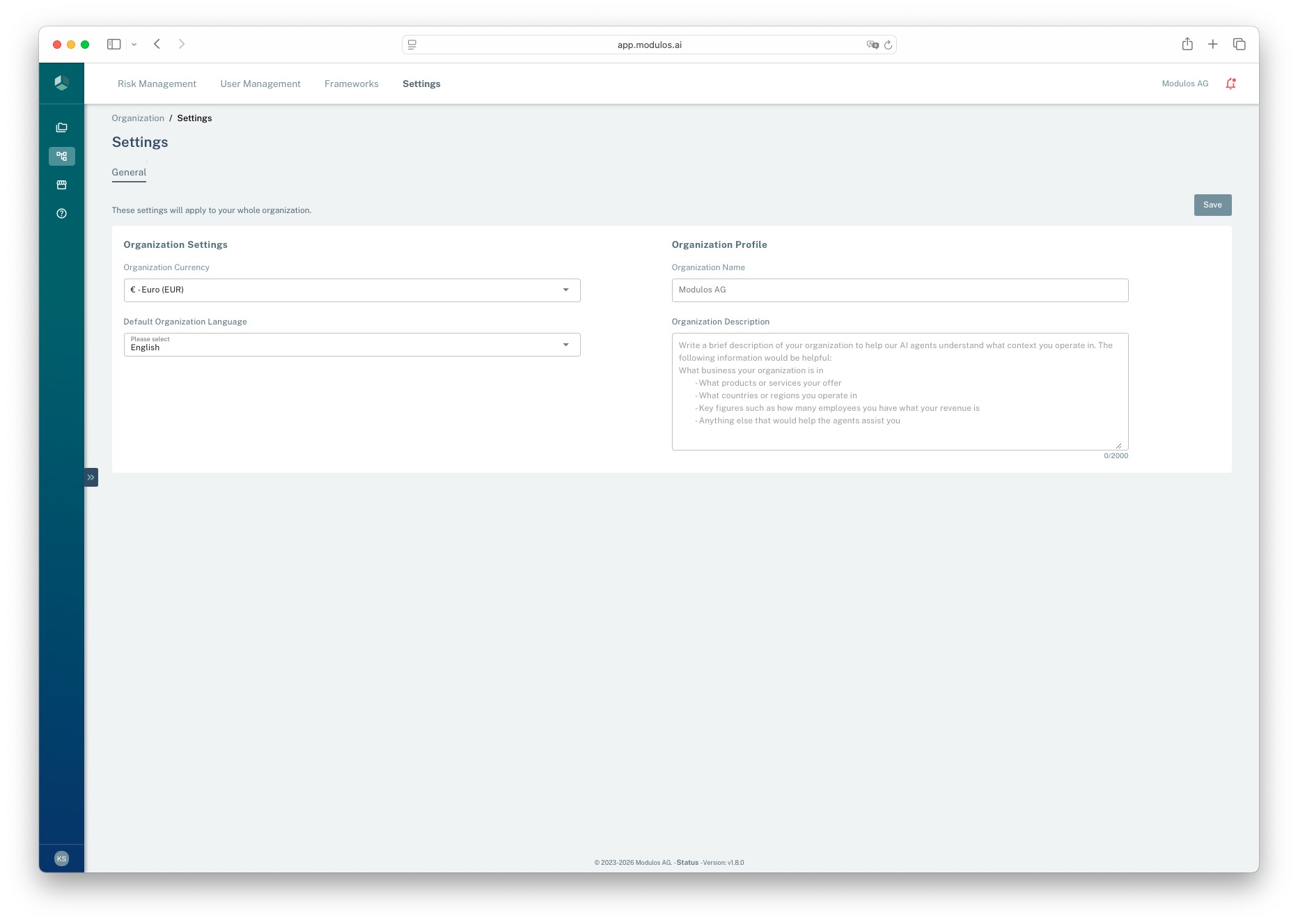
- 1Save changesApplies updates to the whole organization.
- 2CurrencySets the unit used for risk appetite, budgets, and quantified values.
- 3Default languageControls the default UI language for the organization.
- 4Organization descriptionAdds narrative context used in reporting and exports.
Who can do what
Permissions
- Organization Admins can update currency, language, and profile details.
- Organization Members can typically view these settings but cannot change them.
If you can’t access the page, ask an organization admin to confirm your access.
How it works
Currency
Modulos treats money as the universal comparison unit for risk:
- it forces risk statements into stakeholder-relevant terms
- it allows prioritization across risk types
- it connects directly to risk appetite, which is expressed as resource allocation
The currency you choose becomes the unit for:
- organization risk appetite and budgets
- quantified risk values such as expected loss
- rollups and reports where monetary values appear
Modulos does not automatically convert historical values if you change currency later. Set currency early and keep it stable.
Default language
The organization language sets the default UI language for the organization. It affects interface labels and some exports.
It does not translate your organization content. Control descriptions, evidence summaries, and uploaded documents stay as written.
Organization profile
The organization name is set when the organization is created. The description is editable and serves two purposes: it provides context in reports and exports, and it is injected directly into Scout's system prompt. A well-written organization description significantly improves the relevance and specificity of Scout's answers across all projects.
Integration controls (Admin Panel)
Organization admins can enable or disable specific Sources and Connectors organization-wide through the Admin Panel. This provides centralized control over which external integrations are available to users and projects within the organization.
How it works:
- When a Source type is disabled, users cannot create new sources of that type in any project
- When a Source type is disabled, existing tests using that source type will fail
- When a Connector type is disabled, users cannot create new connectors of that type
- Disabled integrations remain hidden from the UI for non-admin users
- Admins can re-enable integrations at any time
Why use it:
- Enforce organizational security policies by restricting certain integrations
- Prevent use of integrations that don't meet compliance requirements
- Control costs by limiting which external services can be connected
- Simplify the UI by hiding integrations your organization doesn't use
Where in Modulos:
- Admin Panel → Integration Controls (available to Organization Admins only)
Integration availability
If you don't see an expected Source or Connector type, check with your organization admin to confirm it's enabled for your organization.
How to use it
1
Set currency
Choose the currency used for risk appetite and quantified values
2
Set language
Choose the default UI language for the organization
3
Add description
Write a short org profile used as context in reporting
4
Save
Apply changes for the organization
Important considerations
- Changing currency later does not retro-convert existing monetary values.
- Language affects the UI, not your content. Treat it as a display preference, not translation.
- If you don’t see
Organization → Settings, your organization role may not include settings access.